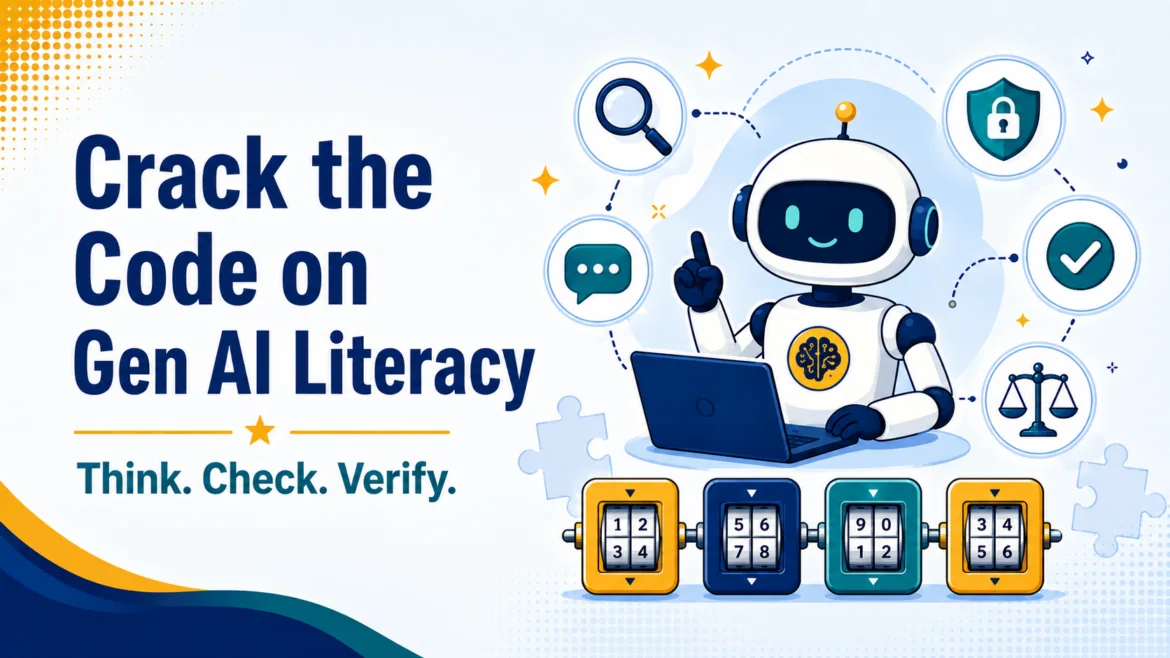
If you have missed it, the flurry of misinformation, angst, and more continues to swirl around Gen AI in schools. I’m so over it, aren’t you? These days, my focus is on answering a simple question, “What can I make or do with Gen AI, leveraging my knowledge and experience, that I couldn’t before to serve learners and educators?” That’s why the Learning Activities Hub has been so much fun to work on. One idea is Critical Thinking Online Breakouts (CTOBs) for Gen AI Literacy.
Did You Know?
Digital Citizenship Day is October 28, 2026. This year, it is organized by MediaSmarts during Media Literacy Week. It focuses on responsible, respectful, and safe participation online. This blog entry is one of three focused on digital citizenship.
Introducing Gen AI Literacy CTOBs
While Gen AI tools are evolving at exponential rates, human cognition plods along at its usual pace. If a student asks a chatbot for help, receives a polished answer, and they may assume it must be accurate, or usable. But that’s not the real problem. The real issue is that students miss out on productive struggle, on the process of thinking that results in long-term information retention. That’s why frameworks like the CLEAR can be helpful and powerful. CLEAR is intended to be a simple critical-thinking checklist students can carry into any claim they meet online.
Students need practice recognizing what Gen AI can do, where it can fail, and when they should slow down and check its work. The free Gen AI Literacy Breakouts give them that practice through short, browser-based challenges that embed CLEAR in every activity.
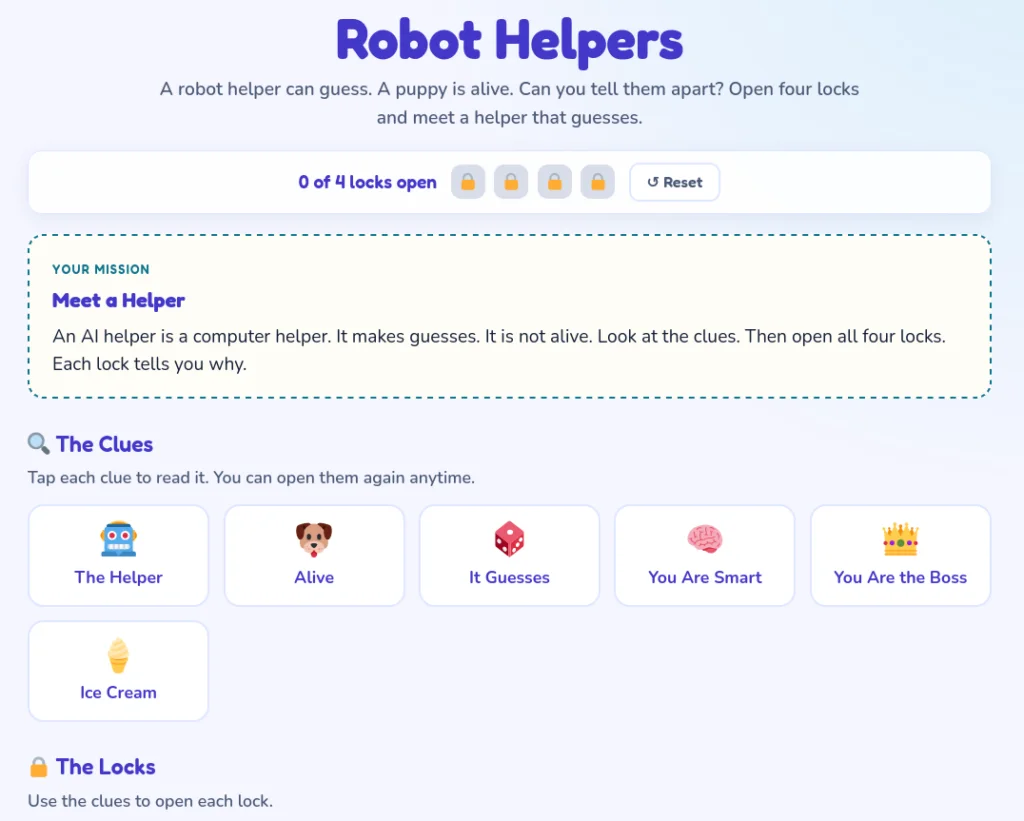
Open Four Locks
The collection includes 18 activities for grades K–8: one featured breakout and one full lesson for each grade. Students read six clues, identify a deliberate decoy, and solve four locks. After each correct response, the activity explains why the answer fits the evidence.
Students do more than click until something works. They must weigh clues, reject information that does not belong, and explain their reasoning. I like activities that make thinking visible without turning every response into another graded assignment.
Build Skills by Grade
The topics grow more complex as students move through the collection.
| Grade band | Gen AI literacy focus |
|---|---|
| K–2 | Recognizing Gen AI helpers, understanding guesses, protecting private information, and asking an adult for help |
| 3–5 | Identifying everyday Gen AI, examining training data, writing clearer prompts, and checking answers |
| 6–8 | Detecting generated media, evaluating bias, verifying claims, giving credit, and using Gen AI responsibly |
Lessons include titles such as “Robot Helpers,” “Teach the Machine,” “Double-Check the Bot,” and “Bias in the Machine.” These are practical topics students can connect to what they already see online.
A Critical Thinking Online Breakout (CTOB) is a browser-based digital escape room built for reasoning, not recall. Students read six short clues — one a deliberate decoy — and use them to open four locks. Each lock reveals a one-sentence reason that names why the answer follows from the evidence. There are no logins, nothing is graded, and Start over is always one tap away, so the cost of thinking out loud and being wrong is zero.
CTOBs run on the CLEAR thinking process — a simple critical-thinking checklist students can carry into any claim they meet online. Every lock is a small CLEAR rep: the decoy trains students to weigh Evidence and reject a true-but-irrelevant fact; the “strong evidence” lock makes the strong / weak / missing distinction explicit; and the revealed reason models the Response. With generative AI — where a confident answer can still be wrong — testing a claim before you trust it is the whole point.
Use CLEAR Thinking
Each breakout follows the CLEAR thinking process: Claim, Lens, Evidence, Alternatives, and Response. Students consider a claim, examine their own viewpoint, sort strong evidence from weak clues, consider other explanations, and decide how to respond.
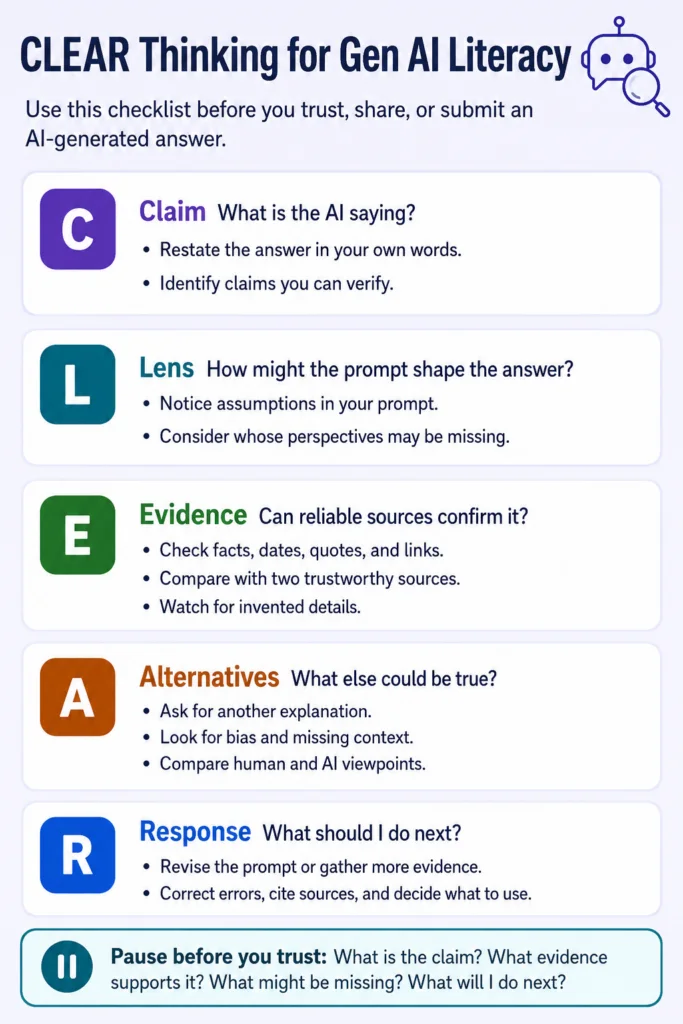
That process works well beyond Gen AI. Students can use it with a questionable video, a social media post, or a suspiciously perfect answer produced two minutes before class.
Share and Start
The activities run entirely in the browser. They require no installation or student login, collect no data, and do not send students to a live Gen AI tool. A language menu offers English, Spanish, Vietnamese, Arabic, Hindi, Urdu, and Chinese. The site notes that translations were started with Gen AI and still await review by native speakers.
Teachers also receive a curriculum guide, scope and sequence, lesson-plan support, TEKS correlations, UDL and ELPS supports, and an answer key.
Licensing
While this content is available for free classroom use by individual teachers, if your campus or district would like to license this content for use, please don’t hesitate to reach out. The answer keys for each set of activities can be made available.
Connect via this online form