

Great conversations result in learning. When students have structure and know how to engage in academic chats, they learn more. Research shows classroom discussions have a positive impact on student long-term information retention. What digital tools can you use to scaffold those learning conversations? In this blog entry, you will explore a free online platform. You will also get access to the TCEA PROTECT Rubric for Safeguarding Student Data Privacy.
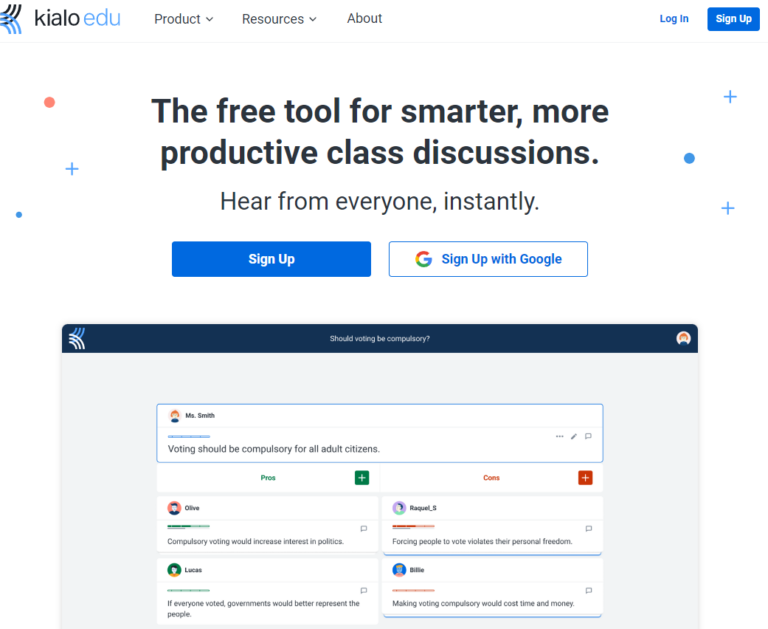
Screenshot by author of Kialo Edu
Introducing Kialo Edu
Kialo Edu changes how teachers run classroom discussions. This free online platform supports student debate and critical thinking. Here’s how teachers can use Kialo Edu to improve learning:
Starting from a central thesis, students add pros and cons, engaging with each other’s arguments to build an interactive map of the entire discussion.
Source: Kialo Edu website
There are a variety of teacher tools available to you as the teacher. Those include:
- Small group mode that makes dividing class into groups easier, giving you access to each groups discussions
- Anonymous participation that replaces names with colorful animal avatars
- Tasks that set clear objectives and track student progress
- Grading and feedback that includes formative and summative assessments
These are only four of the available management tools available to teachers. Other benefits include topic libraries, the ability to start and stop chats. What’s more, Kialo integrates with Google Classroom, Moodle, and supports LTI integration with Canvas and Blackboard.
More Students Speak Up
Kialo Edu has the potential to get more students involved in classroom discussions. In many classrooms, few students speak often. With Kialo Edu, everyone can join in at once. The technology takes the hard work out of managing the conversation. To do that, it offers three modes:
- Anonymous Mode: Students share ideas without fear. Shy students participate more.
- Text-Based Format: Students write thoughts at their own speed. This cuts down on speaking anxiety. This would have been my favorite approach when growing up in school.
- Quick Input: No waiting for turns. All students can share ideas right away.
Let’s take a look at an example vignette (fictional) to get an idea of how it might work.
Class Example: A vignette:
Ms. Johnson saw few students talk in social studies. She tried Kialo Edu. Suddenly, almost every student had something to say. “The platform gave my quiet students a voice,” she said. “Everyone had an opinion about the topics
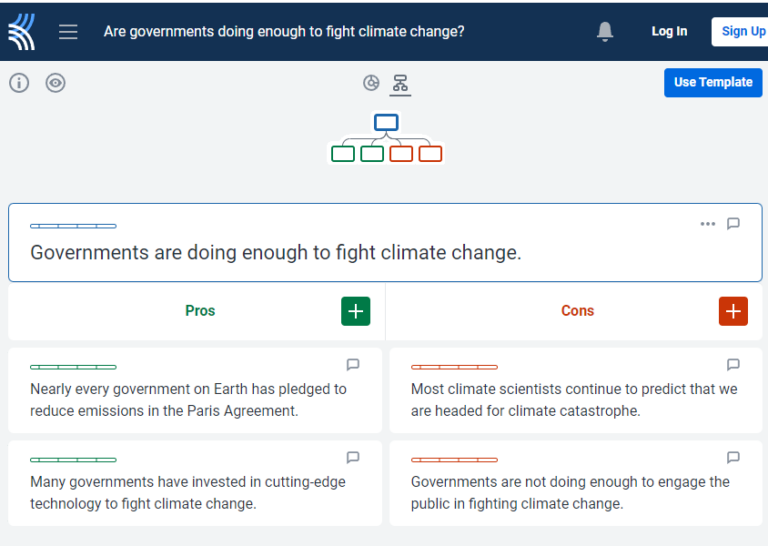
Screenshot by author of Kialo Edu
See Arguments Clearly
Kialo Edu shows debates in a visual way. This helps students grasp complex ideas more easily.
- Central Topic: Start with one main question or statement.
- For and Against: Students learn to see both sides.
- Linked Ideas: Students can build on each other’s thoughts.
How to Use It:
- Pick a debate topic from your lessons.
- Ask students to add reasons for or against the topic.
- Have students respond to each other’s points.
- Use the visual map to find strong arguments and weak logic.
Learn Anytime, Anywhere
Kialo Edu fits modern teaching styles. It’s flexible and easy to use.
- Always Available: Students can join discussions outside class.
- Prep for Class: Use Kialo for homework before in-class talks.
- Saved Work: All student input is kept. Teachers can review it later.
Activity Idea: Getting Ready for a Class Discussion
| What to Do | How It Works | Teacher’s Job | Student’s Job | What Students Learn |
|---|---|---|---|---|
| Pre-Discussion Kialo | Students share first thoughts on a topic | Set up the Kialo and give guiding questions | Add ideas, reply to others, vote on good points | Form initial views and find areas to research more |
Write Better Arguments
Kialo Edu helps with essay planning and debate skills.
- Build Arguments: Students learn to back up claims with facts.
- Consider Opposites: Students think about views different from their own.
- Plan Essays: Use the debate map to outline writing.
Teacher Tip: “My students use Kialo to draft essays. It helps them organize ideas and think of counterarguments,” says Mr. Thompson, a high school English teacher.
Works with Other Tech
Kialo Edu fits in with tools you already use.
- Connects to Learning Systems: Works with Google Classroom, Canvas, and Moodle.
- Small Groups: Split classes into smaller debate teams (coming soon).
- Grading Tools: Easily check student work and give feedback.
Kialo Edu boosts critical thinking and class talks. It helps students learn key skills for today’s world. Try it in your class to make learning more engaging and effective.
Account Set Up
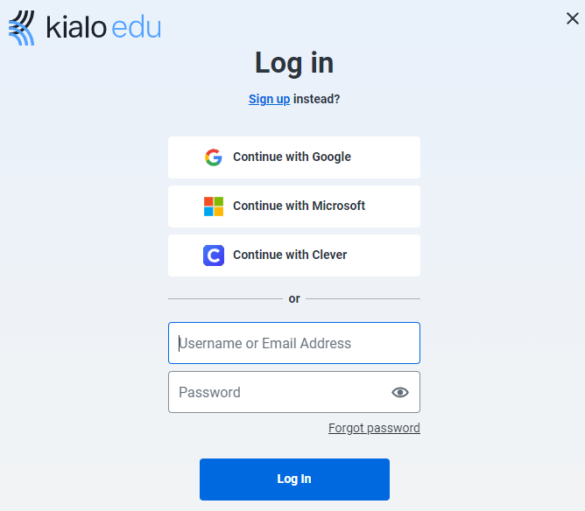
As the teacher, you can login using one of the options available:
Screenshot by author of Kialo Edu
Kialo Edu also offers single-sign-on (SSO) with Google, Microsoft, or Clever. This makes it quite versatile in terms of using it with staff and students, no extra passwords to remember.
TCEA PROTECT Rubric
It can be difficult to ascertain the quality of terms of service, as well as privacy policies for K-12 facing education solution providers. To assist, use TCEA’s PROTECT rubric (view full size | get a copy) to evaluate services like Kialo EDU.
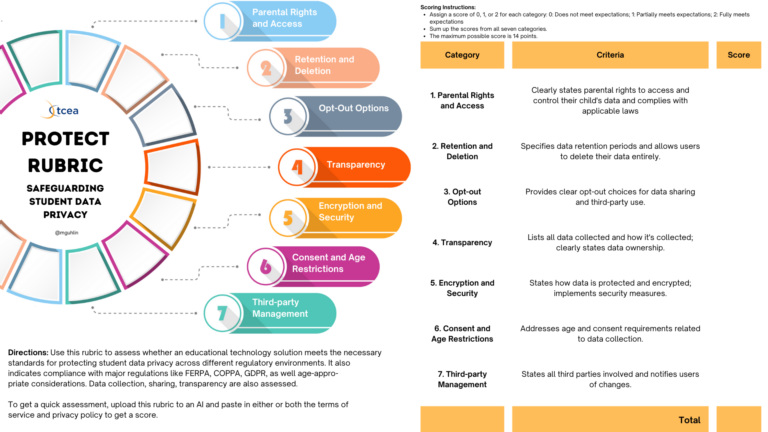
TCEA PROTECT Rubric generated by author with AI Assistance
To score the Kialo Edu, both its terms of service and privacy policy were analyzed with PROTECT. You can read the Terms of Service, as well as Kialo Edu’s Privacy policy online. Another document of interest is the Data Security and Privacy page, which for some reason, is separate and buried in their Frequently Asked Questions (FAQs) document. Here are how they scored (where 14 is the maximum amount of possible points):
- Kialo’s Privacy Policy scored 12 out of 14. The Privacy Policy is comprehensive. It addresses most of the criteria outlined in the rubric. Notable points include parental rights, transparency, and consent.
- Kialo’s TOS scored 7 out of 14. The Terms of Service, while covering some aspects, lacks detail in several key areas, especially regarding opt-out options and specific security measures. To improve their overall score, Kialo Edu could enhance their Terms of Service to more explicitly address the rubric criteria, particularly in areas of parental rights, opt-out options, and security specifics.
- Data Security and Privacy scored 13 out of 14. This is a great score. Clarification is needed in terms of Opt-Out Options of the rubric. Kialo Edu does not state specifically what options to opt-out there are.
Overall, Kialo Edu does quite well on the TCEA PROTECT rubric scoring. Since this analysis was done by AI, your mileage may vary. You will, of course, want to make your own determination in consideration of your region’s laws and policies.
Debates Online Made Easy
Kialo Edu offers a powerful classroom discussion tool at no cost to schools. It’s integrated features, teacher tools, and SSO account management offer strong incentives for use. Give it a try.
Resources
- Kialo Edu Guide: Official user manual (K-12, Higher Education)
- Kialo Edu Blog: Teaching tips, updates (K-12, Higher Education)
- ProCon.org: Debate topic source (K-12, Higher Education, Other)
- [Purdue Online Writing Lab](https://owl.purdue.edu/owl/general_writing/academic_writing/establishing_arguments/index.html): Argument writing guide (Higher Education, Other)
- ReadWriteThink: Lesson plan resource (K-12)