
Are you on the hunt for the perfect AI assistant to lighten your lesson planning load? There are many choices available. Let’s take a look at two exciting AI tools for teachers, Eduaide and MagicSchool. Let’s explore how these platforms can transform the teaching and learning experience.
The Tale of Two Platforms
Both Eduaide and MagicSchool offer a ton of features, and both are unique. For example, Eduaide, created by two public school teachers, is your go-to AI-driven lesson plan generator. On the other hand, MagicSchool, designed by a former teacher and principal, offers over 60 tools to make your work a little easier. You might consider both of these to be like an AI Swiss Army knife. Instead of developing custom prompts, like other chatbots, these take the work out of prompt engineering.
Want to learn more about each? While EduAide doesn’t offer a certification program, MagicSchool offers three levels of certification. This might be an important professional development differentiator if you are a district leader wanting to roll out AI tools to teachers.
Pricing and Accounts: The Cost of Convenience
When it comes to pricing, both platforms offer free versions. Of course, there are limitations to the free and paid versions. For example, the free version of Eduaide restricts users to 15 content generations a month. See pricing options:
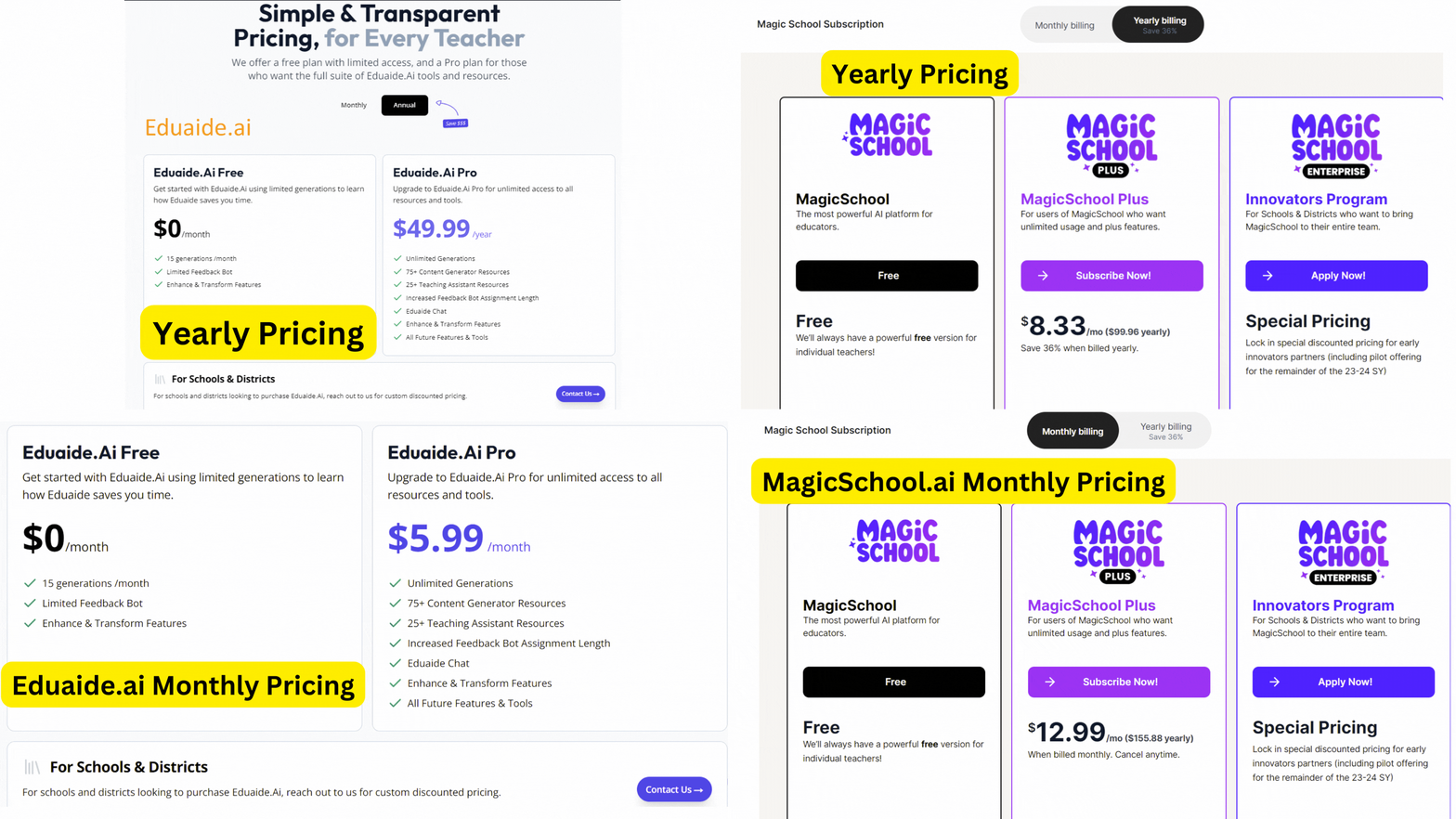
Whether you’re looking for a budget-friendly option or ready to invest a bit more for extra features, both platforms have you covered. You may want to take a peek at the comparison chart later in the blog entry.
Educational Focus: Broad vs. Specialized
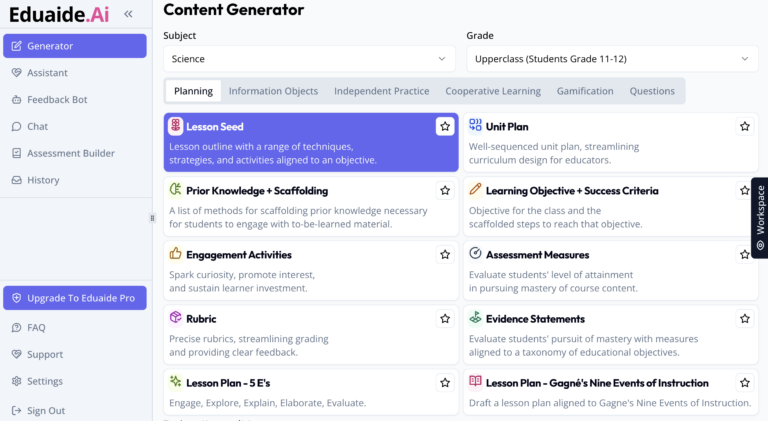
Eduaide shines with its broad focus, offering over 100 resource types and learning objects to choose from. Whether you’re planning a lesson on Shakespeare or the water cycle, Eduaide has got your back.
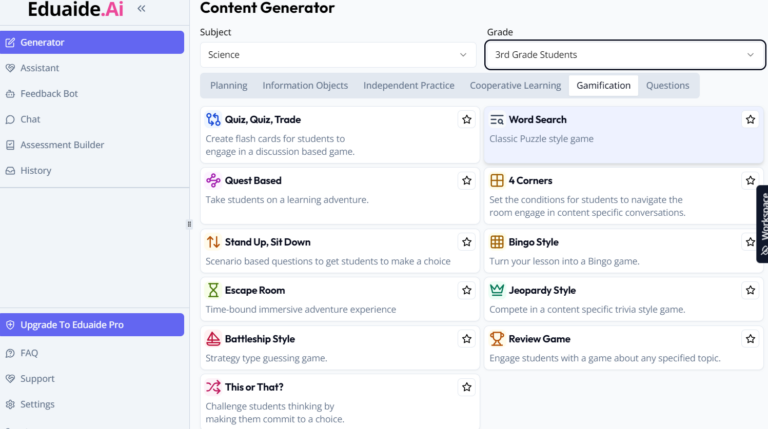
EduAide’s Content Generator for Gamification Options | Screenshot by the Author
MagicSchool comes with specialized tools for math and science. For example, the Math Spiral Review Generator and the Science Lab Generator are available. If you’re a STEM educator, MagicSchool might just be your new best friend.
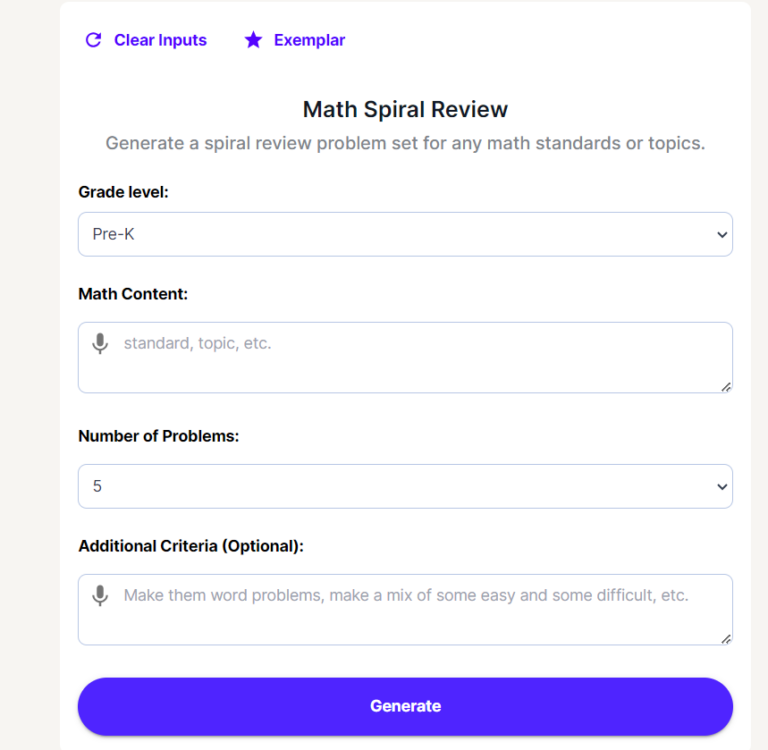
MagicSchool Math Spiral Review Generator | Screenshot by the Author
AI Tools and Features: A Wealth of Resources
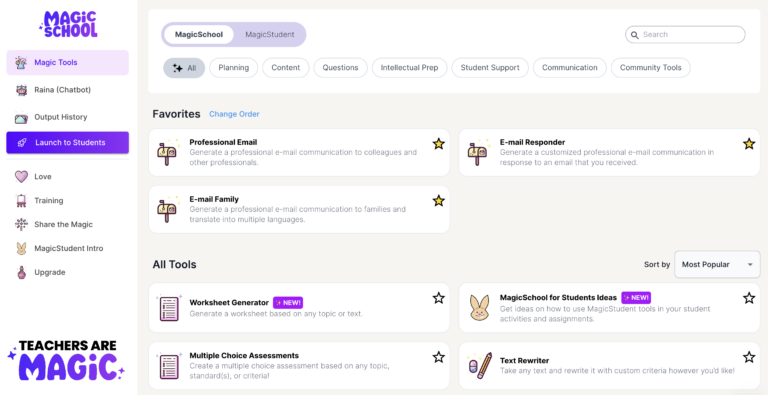
Eduaide features lesson plans and engagement activities. It also has quizzes and worksheets. MagicSchool, with its 60+ tools, offers a vast selection of lesson planning tools, rubric generators, and more. Plus, it’s available in 10 languages, making it a great option for diverse classrooms.
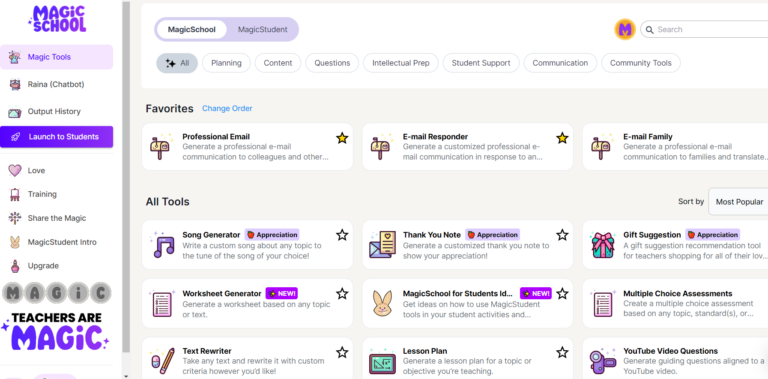
Screenshot of MagicSchool by author
Compliance and Privacy: Keeping It Safe
Both platforms take your privacy seriously. Eduaide and MagicSchool comply with FERPA and COPPA guidelines, ensuring your and your students’ data are safe. MagicSchool goes the extra mile by not asking for or storing student personal identifiable information (SPII), giving you peace of mind.
So, Which One Should You Choose?
Choosing between Eduaide and MagicSchool is like trying to pick your favorite ice cream flavor—both are delightful in their own ways. If you’re looking for a broad range of resources and a slightly more budget-friendly option, Eduaide might be the way to go. But if you’re a STEM educator in search of specialized tools and don’t mind spending a bit more, MagicSchool could be your perfect match.
Here’s an AI-generated comparison chart of features:
| Feature/Aspect | Eduaide | MagicSchool |
|---|---|---|
| Target Audience | Educators | Educators and students |
| AI Tools and Features | – Lesson planning – Assessments – Feedback generation – Multi-language support – Built-in text editor – Personalization tools |
– 40+ AI tools for lesson planning, student support, etc. – Customizable tools for specific educational needs – New tools like Science Lab Generator |
| Customization and Flexibility | Model-agnostic, allowing for the use of various AI models | Uses multiple AI models, including OpenAI’s GPT and Anthropic’s Claude |
| Compliance and Privacy | FERPA and COPPA compliant | FERPA compliant; specific mention of declining non-education-related requests |
| User Interface and Accessibility | Clean user interface; supports 17 languages | User-friendly interface; designed to be intuitive for teachers |
| Pricing and Accounts | Free and Pro versions; Pro version offers more resources and features | Free and premium accounts; school or district accounts available |
| Educational Focus | Broad focus on enhancing teaching and learning through AI-assisted tools | Broad educational spectrum from kindergarten to college |
| Community and Support | Offers a collaborative community for sharing and learning | AI Pioneers Program for collaborative improvement |
| Innovation and Updates | Continual updates based on teacher feedback | Regularly introduces new tools and features based on user feedback |
Chart generated by Perplexity with prompts from author
Both Eduaide and MagicSchool offer incredible value to educators, each with its unique strengths. Whether you’re like Eduaide’s resource library or MagicSchool’s STEM tools, one is sure to meet your needs. My recommendation? Try them out both out before making a long-term commitment.
AIartificial intelligenceEduAideMagicSchool
May 29, 2024 - 6:36 pm
Not sure why you didn’t compare Brisk (www.briskteaching.com)
Our district was on the verge of going with magic school but a colleague of mine found Brisk at a conference and we quickly switched. It’s a Chrome Extension so really easy to use directly in Google Docs, Slides, and Forms. It does all of what eduaide and magic do, but does feedback and replay which have been a big value ad for our ELA and history departments
If you’re an elementary school teacher, I get magic schoool, but for upper grades Brisk is a lot better.

May 29, 2024 - 7:02 pm
Alexis, thanks for commenting! I had to start comparing somewhere and I began with these two. That said, I plan on Brisk and Diffit next.
You can find other blog entries featuring Brisk in our archive.
Tell me more about how you use Brisk!
🙂
Thanks,
Miguel
June 12, 2024 - 2:11 pm
Miguel, thank you for your excellent overview of MagicSchool and Eduaide. As always, your post is informative, insightful, and helpful.
I largely agree with your comparison, but there are some important distinctions between the two platforms. For one, MagicSchool enables users to upload documents (PDF, image, Word), which can greatly help in the customization of lesson plans, grading rubrics, and more. Eduaide does not. MagicSchool also includes an image generator, extremely handy for lessons and presentations, while Eduaide does not. MagicSchool also provides use of its “academic” chatbot for free, while Eduaide limits its chatbot to paid users. MagicSchool also has a student-facing platform, Magic School for Students, which enables teachers to coordiante and supervise student activities. Eduaide does not.
Now, don’t get me wrong, I am a huge Eduadie fan and love its wide and diverse resource types. But I think these are important differences to note.
As for the previous comment, Brisk Teaching is certainly an “up-and-comer” in the AI teacher assistant field. It’s morphed from a feedback generator to a full-featured teaching assistant with over 30 tools (but only 20 are free to use). The reader is right that its biggest advantage is that it’s a Chrome extension and this makes it wonderfully easy to create lesson plans directly in Docs, quizzes directly in Forms, and presentations in Slides. But, overall, its offerings fall well short of MagicSchool’s and, arguably, those at Eduaide. In addition, Brisk Teaching will hold little appeal if you’re not a Google-enmeshed teacher than
Finally, I don’t think a comparison of Brisk Teaching and Diffit would be terribly instructive. It’s like comparing apples and oranges. A better combination would be Twee and Diffit. Both are wonderful for leveling, analyzing, editing, and creating texts. Twee is more geared to English, ESL instruction, while Diffit is more broadly helpful across disciplines. I think the two AI compliment each offer well and many teachers can benefit from understanding how to leverage them for teaching.