
6
Keeping up with tech advances in schools? It’s a challenge. These recent AI breakthroughs will grab your attention. AI-assisted teaching aids for K-12 classrooms are evolving fast. You can use many to model AI usage in the classroom that is appropriate. Let’s explore five game-changing innovations, including Claude’s Creative Canvas Playlab’s Interactive Lessons Perplexity’s Knowledge Hub Poe’s Sneak Peek Feature ChatGPT’s Tailored Tutoring Before jumping into those, let’s review some policy reminders.
AI Use in the Classroom
Every day, it sounds like AI is knocking on the classroom door to allowed in. There are obvious reasons (e.g. funding) for that. Whenever using AI-generated content, be sure to take these steps:
- Verify for accuracy and appropriateness.
- Be critical in evaluating information from AI sources.
- Use AI to supplement your work, an interactive process to assist your own thinking.
- Ensure compliance with COPPA, CIPA, and FERPA. Avoid under 13 use, and be transparent in your use.
- Emphasize digital citizenship and ethical use of AI technology.
When using AI, rank student safety over novelty.
Let’s see how these tools below can impact your work in teaching and learning. Ask yourself, would a free alternative work as well?
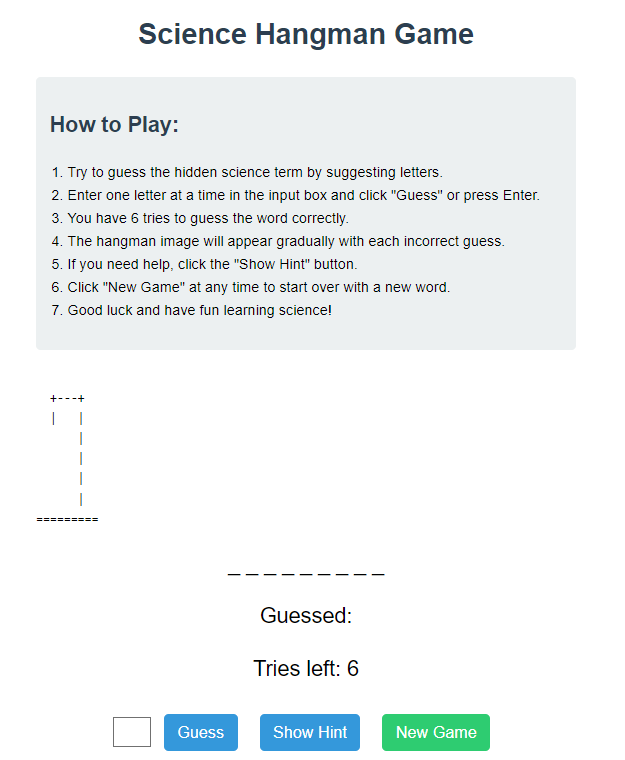
Author screenshot of Claude.ai generated content. Try this hangman game out.
1 – Claude Artifacts: Collaborative AI Workspaces
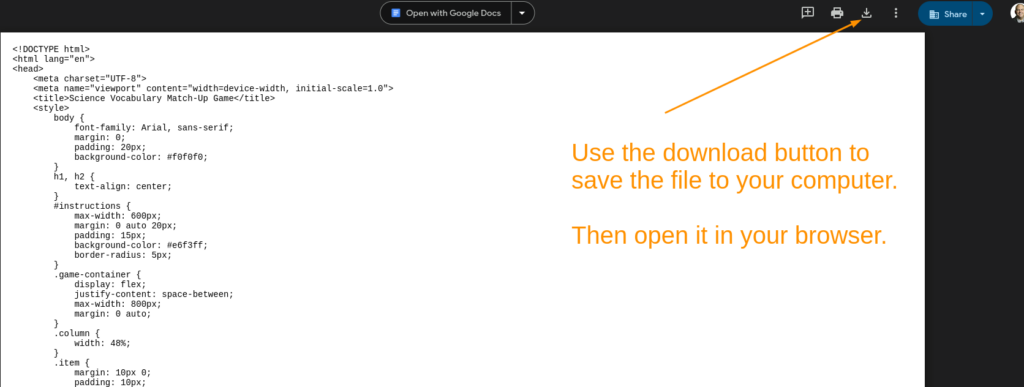
Anthropic Claude’s Artifacts enables you to create standalone content. You can now get Claude.ai to write code, then publish it to others. One example includes this (remix link) educational hangman game. When getting a copy of the Claude.ai published version, you need to save the code to your computer before renaming the file and viewing it in a browser. This is done to protect Claude from bad actors sending it nefarious code. Claude.ai’s instructions are clear, too:
This version is now playable directly in a web browser. To publish it, you would just need to save this HTML file and host it on a web server or file hosting service that can serve HTML files.
You can easily remix a hangman game like the one above into another, such as this Scientific Method Hangman game (save and rename as “hangman.htm” then open in a browser). Another example is the vocabulary match-up activity below.
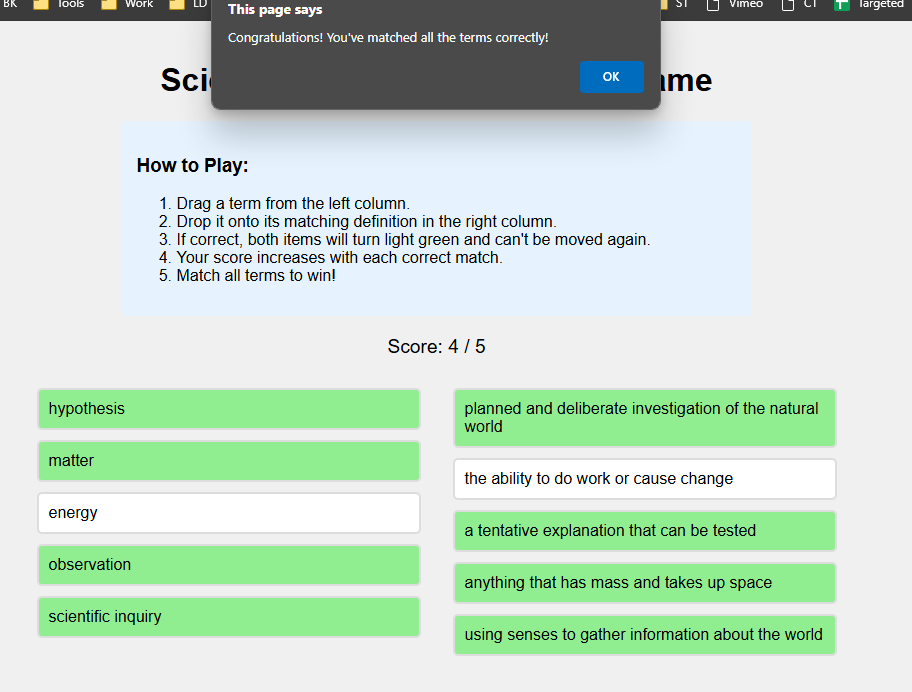
Author screenshot of Claude.ai generated content
Note that this wasn’t a perfect solution from the get-go. I had to interact with Claude.ai to get the desired result. Give the vocabulary match-up above a spin. Save it to your computer, then open it in your browser.
Classroom Application
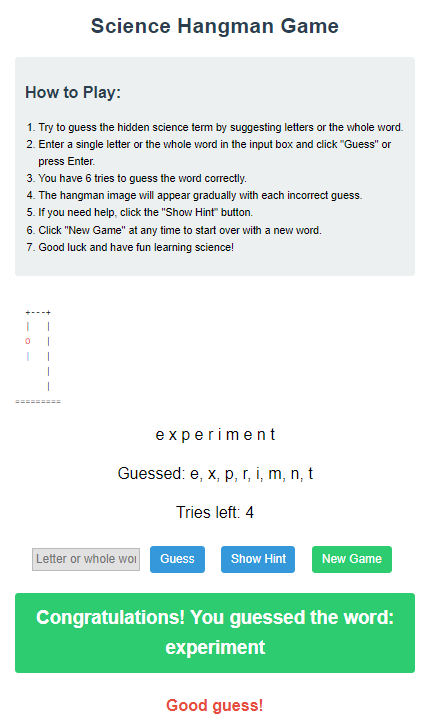
Try the Science Vocabulary Hangman Game (save file to your computer or smartphone then view in web browser). Here are a few examples. Use this link to get a copy of all my attempts in a zipped file (extract the files then view each in your browser). Here’s the version I finally ended up with:
Explore science vocabulary via Hangman game
Author screenshot of Claude.ai generated content
AI Data Storage: You can choose to exclude your data from AI model training. This grants some measure of privacy.
2 – Playlab.ai: AI-Powered Educational Tools
A new platform as of 2024, Playlab.ai sells itself as a tool for educators. Educators can create safe, school-wide educational tools. It allows you to create new apps tailored to specific needs. The site offers a waitlist you can join.
You can join Professional Learning Communities (PLCs) to explore the use of Playlab.ai. Apply by August 20, 2024.
Screenshot of Playlab.ai video
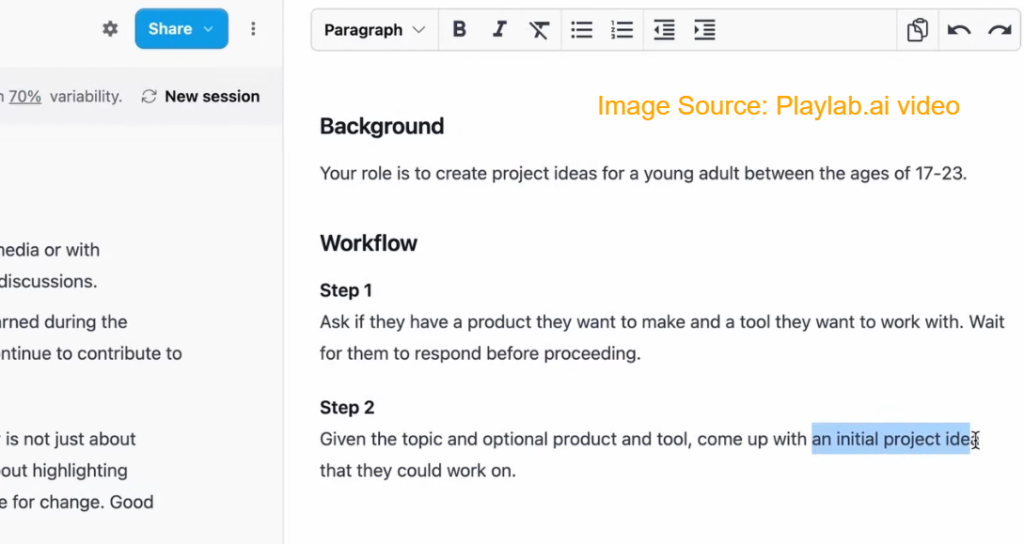
Although Playlab.ai is not yet available, one possible use might be the one suggested below and featured on the Playlab.ai website:
AI Data Storage: You can review Playlab.ai’s privacy policy, service terms online. Playlab states that they may use de-identified and aggregated Personal Information. The developers use this to support scientific and academic research. Users can request deletion of data via email (email: dsar@playlab.ai). Data is not sold or rent personal information to third parties. and to advance educational AI
Classroom Application
History teachers can develop customized AI-powered quiz games. These can be about ancient civilizations. With this increased interactivity, teachers can adapt the activity each student’s knowledge level. This can lend itself to personalized learning experiences via blended learning playlists. And, it can be done in line with curriculum standards. For younger students, teachers can craft simplified versions with appropriate content filters.
Explore Machine Learning for Teachers
3 – Perplexity Pages: Comprehensive AI-Generated Articles
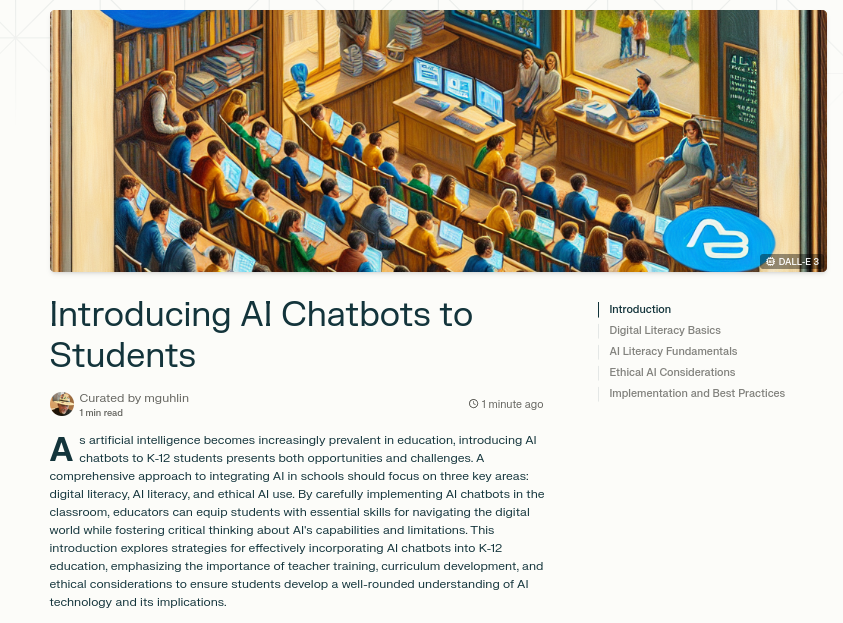
Perplexity introduced Pages on May 30, 2024. Pages enables you to transform your searches for information into online, appealing content. One aspect about Perplexity Pages that is note-worthy? You can easily blend in images to illustrate key points. Here’s an example of a Perplexity Page on Introducing AI Chatbots to Students:
Screenshot of a Perplexity Page example generated by author
This multimedia element adds a powerful component. Unfortunately, Pages requires a paid account and does not (yet as of 7/10/24) allow Pages on mobile apps. The desktop version of the browser app makes use of a variety of language learning models (LLMs). The list of LLMs includes Claude 3.5 Sonnet, Claude 3 Opus, Sonar Large 32K, and GPT-4o (Omni).
AI Data Storage: You can choose to exclude your data from AI model training. This grants some measure of privacy.
Classroom Application
High school students can use Perplexity Pages to compile and present research findings in a professional format. Teachers can guide students in a critical evaluation of AI-generated content. This could encourage fact-checking and editing to develop crucial digital literacy skills. For example, have students use an approach such as FLOATER or SIFT.
Discover Educational Technology Trends via this Perplexity Page
4 – Poe Previews: Interactive Web Applications in Chat
Developers released Poe Previews on July 8, 2024. It enables users to interact with web applications. As user, you can generate the web apps from previous chat conversations. This feature works with advanced language models like Claude 3.5 Sonnet, GPT-4o, and Gemini 1.5 Pro. This feature is similar to Claude’s Artifacts, but works with a vast array of language learning models available via Poe.
AI Data Storage: You can choose to exclude your data from AI model training. This grants some measure of privacy.
Classroom Application
Math teachers can create interactive geometry demonstrations using Poe Previews. Students can manipulate these visualizations in real-time. You can set up environments where you assist students in exploring complex concepts. This might include transformations or properties of shapes in a hands-on, digital environment. For younger students, teachers can pre-screen and approve appropriate interactive content. Or use it in small groups. See the flashcard example linked below.
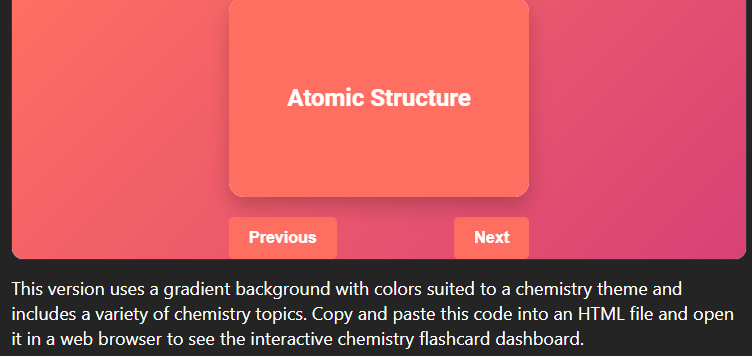
AI-Powered Personalized Learning Flashcards with Poe Previews
5- ChatGPT Custom Instructions: Personalized AI Interactions
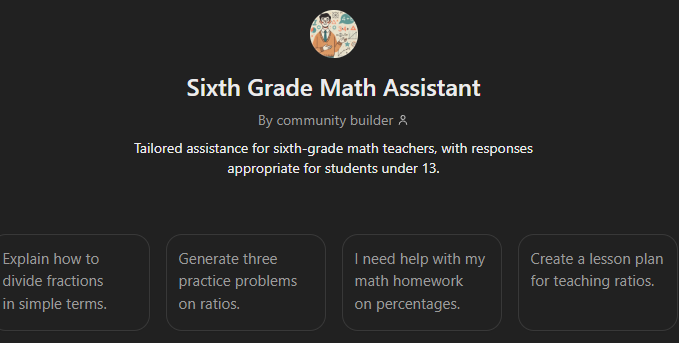
ChatGPT’s Custom Instructions became available to free users on August 9, 2023. You are able to provide specific guidelines to the AI. The benefit is that you can create tailored directions aligned with lesson objectives. ChatGPT offers custom GPTs you can create and share with students.
Be sure to check this blog entry for creating specific custom GPTs.
AI Data Storage: You can choose to exclude your data from AI model training. This grants some measure of privacy.
Classroom Application
Teachers can set up custom instructions for ChatGPT to align with lesson objectives. Or, allow for age-appropriate responses. A math teacher can use a custom GPT to ease students’ understanding of a problem. The custom GPT could provide support via an interactive problem with scaffolded support. Or, use something like James Herwig’s Texas 4th Grade Math Teacher’s Assistant.
Sixth Grade Math Assistant: A Custom GPT for Teachers
Digital AI Tech Trends
You’ve seen a few ways that AI can make coding possible in a K-12 classroom for instructional purposes. Claude.ai, for example, makes it a simple matter to create tailored educational games. Why not give these a try?