
Have an iPhone, but not sure if you’re using it to its full capacity? Read this blog post to get a first time user’s insights. I’ll cover things you need to be aware of and share my list of favorite, must-have apps for productivity and work. Come along and learn with me as I use my new iPhone.
The Journey Begins
This spring, I joined 113 million iPhone users. There’s a total of 300 million smartphone users in the United States. That’s approximately 47 percent of smartphone-using population (source). The action was necessary for me, not only for fear of missing out (FOMO). After all, who can resist learning about new apps and how they can impact our lives?My List of Amazing Apps
The best of the Apple operating system for iPhones (iOS) offers many great features. Everyone has their own list of favorite apps, so I’m going to focus on some of the ones that make a difference in my work.Built-In Goodness
Apple’s iOS offers many incredible features that simplify daily operations, but they can also cause quite a bit of difficulty for newbies like me. For example, some of the great features available include:- Swiping: Swiping up from the bottom of the screen gets you one result, while swiping and holding get you another. Experiment with the two to see the differences.
- Notifications: You can adjust, or turn off, notifications for your apps. This can be an important to know. (Path: Settings–>Notifications)
- Accessibility options (two-tap vs three-tap on back): Want to take a screenshot? I tap twice on the back of the iPhone and it snaps the picture. No need to fumble with volume up and power button. You can set that up in your Settings->Accessibility options).
Paid Apps
Unlike Android, you usually end up paying for apps, even the free, open source software. My favorite anti-spam, robo-calls blocking app is Should I Answer. It integrates with your iPhone. On Android, this app is free. On iPhone, you pay a subscription fee per month that is about the same cost as Google One storage ($1.99). I do keep a few paid apps handy.[penci_video url=“https://youtu.be/U9grV7qUIp8” align=“center” width="" /]
OK, let’s jump into a quick list of my favorite apps.
Secure Connections
No matter what device you are using, you need to protect your data. Some of the tools I use include the following:- Readdle Documents
- DuckDuckGo Privacy Browser
- Private Internet Access (PIA) Virtual Private Network
- 1.1.1.1:Faster Internet
- Google Authenticator
- Microsoft Authenticator
- Should I Answer? ($1.99 monthly fee) or Hiya: Spam Phone Call Blocker
- Paranoia Text Encrypt (PTE)
- AESCrypt
[penci_video url=“https://youtu.be/Rh2zJQPbo3Y” align=“center” width="" /]
If I had to pick my top three favorites from the list above, they would include:
- Readdle Documents
- 1.1.1.1:Faster Internet or a virtual private network (VPN) like Private Internet Access (PIA) Virtual Private Network
- Should I Answer? ($1.99 monthly fee)
Photo Tools
Many of us appreciate the wonderful camera built into the iPhone. My favorite photo apps include:- AirBrush Photo Editor
- Doodle Buddy
- Microsoft Lens
- Microsoft Selfie
- Pixlr Photo Editor
- Prisma Photo Editor
- Shadow Puppet EDU
- Snapseed
- Strip Designer
Media Tools
Working with audio and video recordings? For many of us, knowing how to interact with audio and video on our iPhone is a time-saver. Instead of exporting, offloading video to our computer, you can make changes on the go. Here is my short list for audio and video:Audio
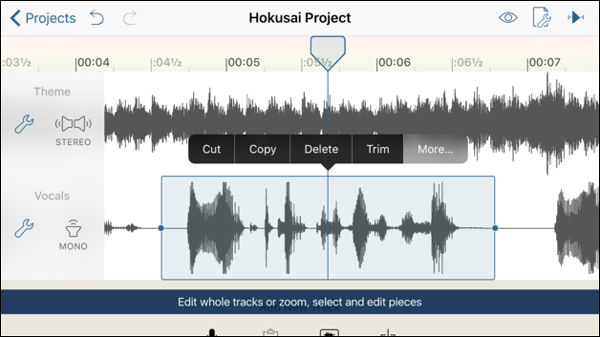
Don’t want to make your own ringtones? Get them off the web. You can make one for each person in your contacts. You can grab ringtones off the web that are 30 seconds in length, then put them on your iPhone using two tools: Readdle Documents or, if on Windows, EaseUSMobiMover (free limited edition).
https://www.youtube.com/watch?v=zunyAoGn-O0
Most of us work with video as well. Let’s take a quick look at video apps for on-the-go editing.
Video
Working with video is easy on an iOS device. Here are some apps to try: Along with Hokusai Audio Editor, my other must-have is Pinnacle Pro video editor. You can also get some special effects for your videos with one of these amazing video clip makers: Of course, no list is complete without inclusion of DoInk's Green Screen app ($2.99). You may want to spend some time exploring these apps to get a feel for them. They cost a few extra dollars, but it's worth it for making special effects easy.More to Learn
If you're looking for free or sale iOS apps, be sure to check out this blog. There are some great tips for learning how to search for apps that don't cost much.As a newbie to iPhone magic, there’s a lot more I want to learn. What are some of your favorite must-have apps? Please share them in the comments.