
3
Looking forward to writing a lesson plan? Or crafting a long email to parents about a delicate issue? Required to create something that aligns to existing policy documents? If these tasks give you pause, you will appreciate AI collections. AI collections, also known as Claude’s Projects or Custom GPTs, offer advantages.
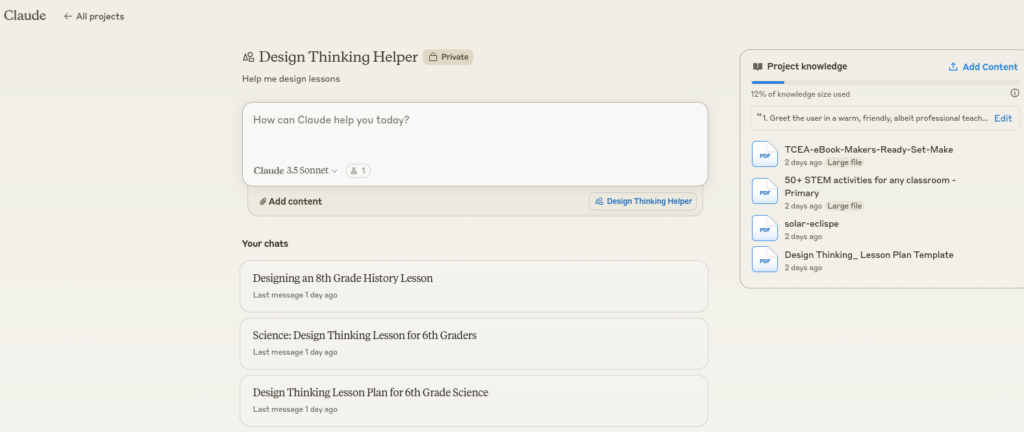
A screenshot by the author of Claude Projects example
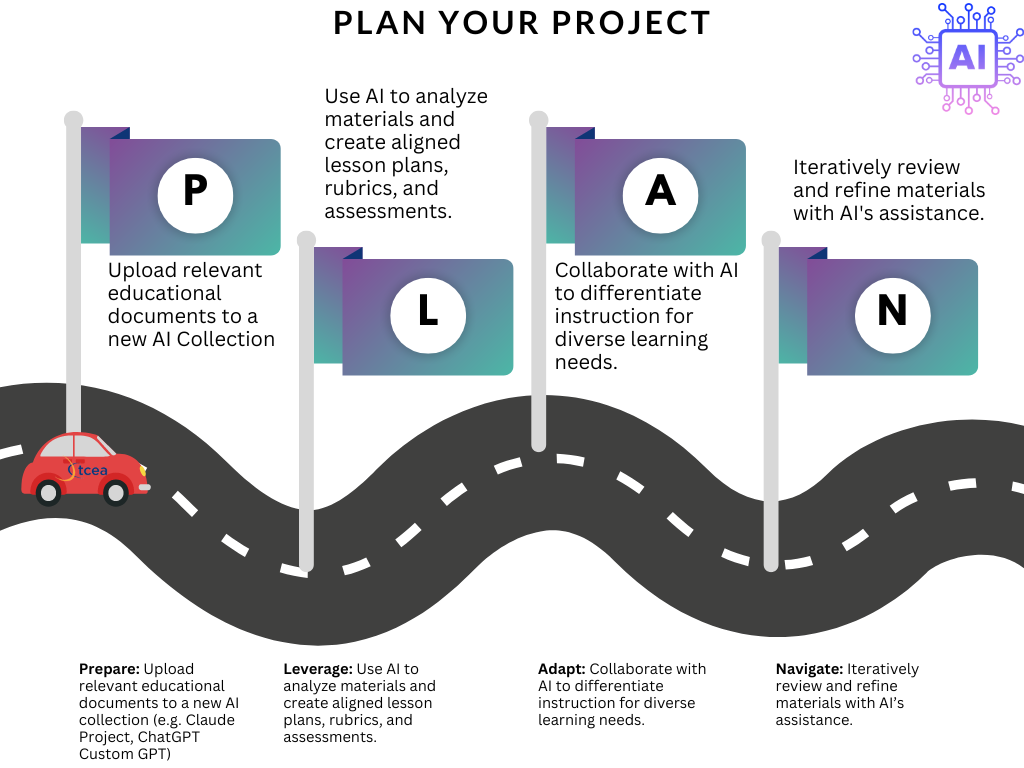
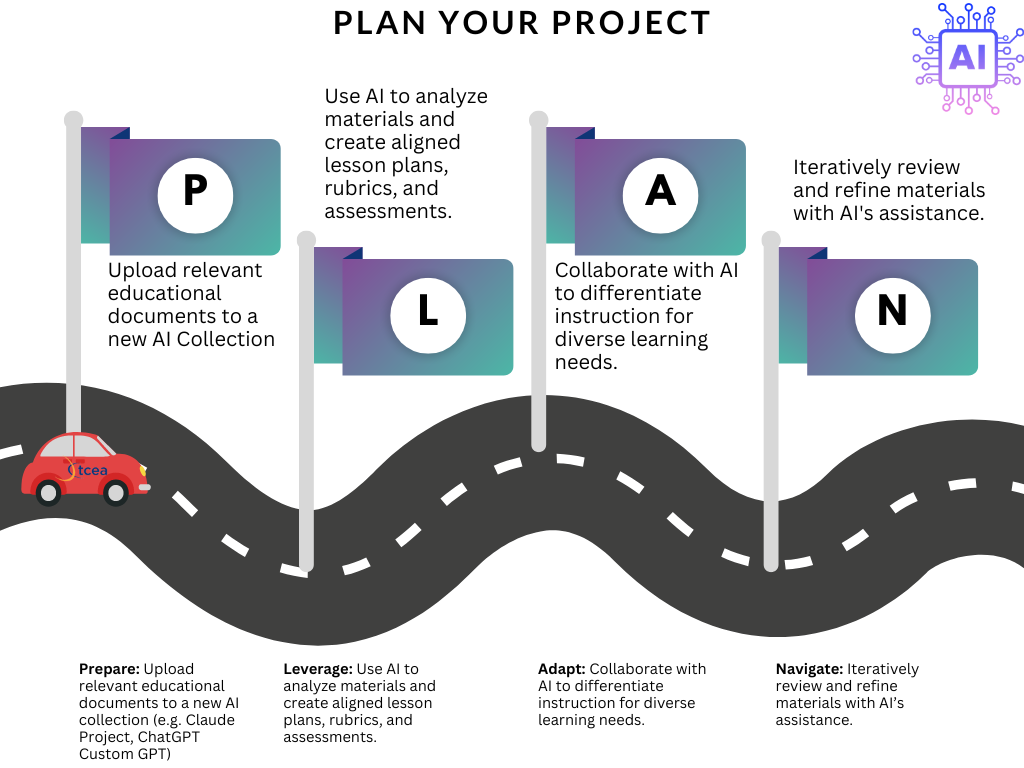
These collections offer key benefits over drive-by AI chatbot use. In drive-by AI chatbot use, you have to set up the context for every prompt you write. It can be exhausting, tedious, and unnecessarily repetitive. Instead, use tailored AI collections like ChatGPT’s Custom GPTs or Claude’s Projects to make the work easier. In this blog entry, you will see how this works using the PLAN acronym. You will also get copies of PLAN frameworks and more.
Note: All diagrams, infographics were generated by the author. You can get a copy online via this link, or view them full screen.
Key Benefits of AI Collections
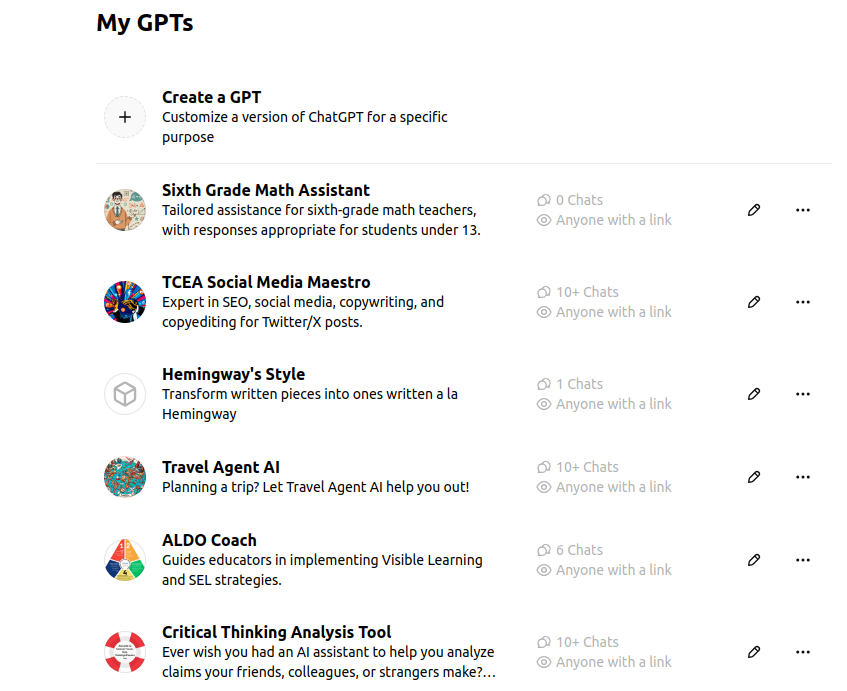
Screenshot of ChatGPT Custom GPTs
Tools like ChatGPT’s Custom GPTs and Claude’s Projects enjoy several benefits sure to save you time. Those key benefits include:
- Persistent memory. By using an AI collection, you are putting documents you submit (e.g. lesson plan templates, curriculum scope and sequences, assessment examples) into the AI’s long-term memory. Then, these documents are available when you need them.
- Organized workspace. Create separate AI collections to better organize your work for different topics, classes, or tasks. You can keep documents that go with a task (or series of tasks) together. They are ready to use when you need them.
- Collaborative tools. If working in a team or group account, you can collaborate with colleagues. This makes curating documents, adding, editing content and prompts easier.
- Custom instructions. AI collections make it easy to set specific instructions for each workspace collection you make. This means, you can have one set of directions for one collection (but the same documents), and another with different instructions.
What’s more, you can now share these AI collections with others to facilitate their work. Instead of having them reinvent the wheel with all the documents, you can make it easier on them. Let’s take a look at an acronym that captures the overall journey you are on with AI Collections.
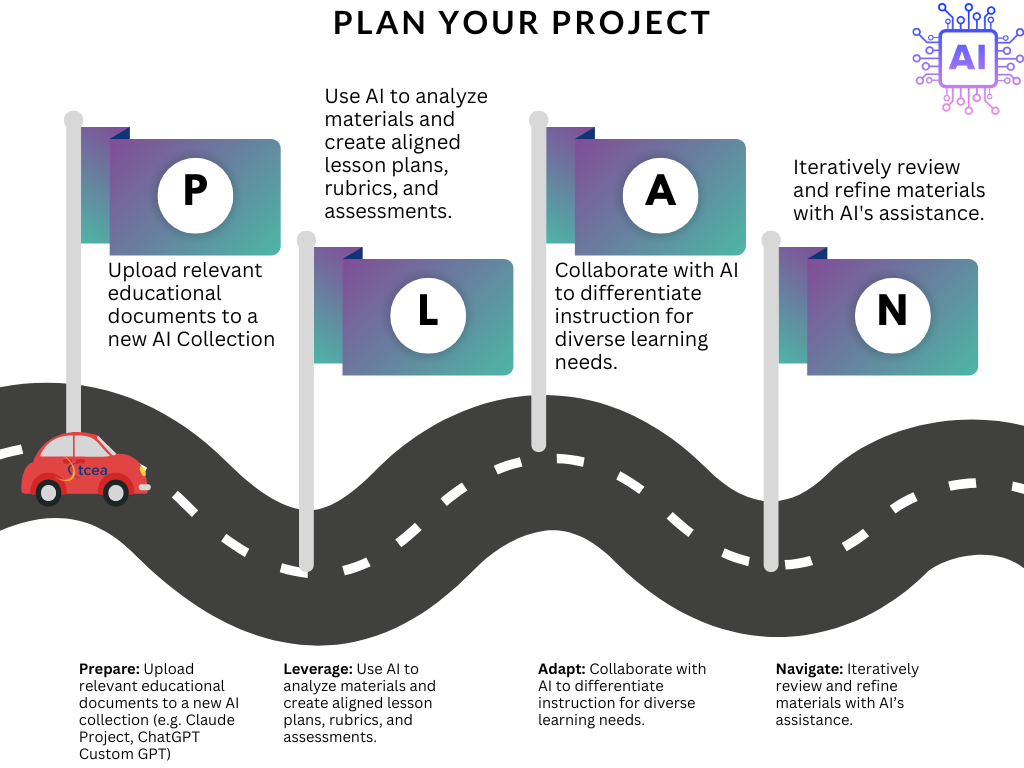
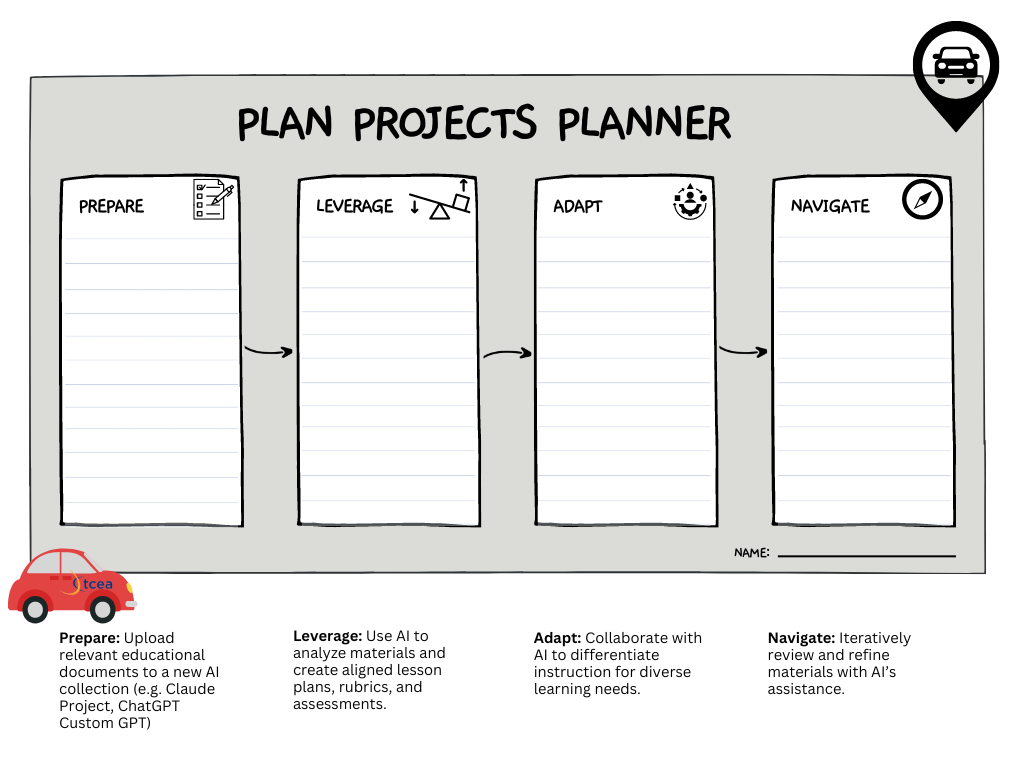
P – Prepare
The first step is to gather and upload relevant educational materials to create a new AI collection. This could include:
- Lesson plan templates
- Curriculum guides
- Universal Design for Learning (UDL) guidelines
- High-effect instructional strategies
- Brain-friendly learning techniques
- Assessment strategies (e.g. entry/exit tickets)
By providing these resources upfront, you’re giving the AI the context and background information it needs to respond and carry out tasks you assign it. What you can also do is prompt the AI to develop tailored instructions for completing a task, and how to use the documents provide.
Creating Custom Instructions
To create these custom instructions, you can rely on ChatGPT’s Custom GPT wizard, or develop your own process for crafting instructions. Here is are some suggestions for doing so with Claude. You can adapt them for use with ChatGPT for Educators.
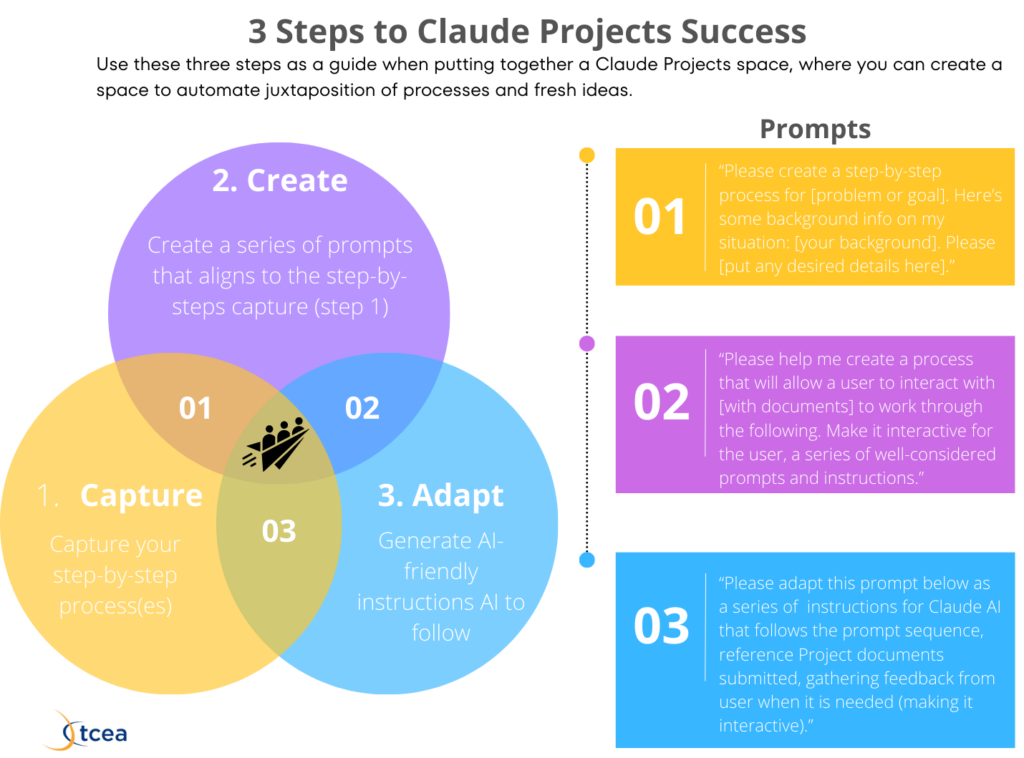
The Capture-Create-Adapt Process has three easy steps for fine-tuning your instructions for Claude or ChatGPT collections. Let’s go through each quickly:
- Capture. Capture your step-by-step processes that you go through. Ask yourself, “What do I do when I do [XYZ]?” Or, conversely, ask the AI to create a step-by-step process for the task.
- Create. Create a series of prompts that aligns to the step-by-step capture. This can be done by asking the AI, “Please create a process that allow me to interact with [ABC] documents.”
- Adapt. Generate AI-friendly instructions to follow. While the first two steps (Capture and Create) are about making human friendly step-by-steps, this last one is about converting those into AI friendly instructions.
Now that your custom instructions are done, your documents submitted into the AI collection, you’re ready for the next step in the PLAN acronym.
L – Leverage
In this step, you are ready to rely on the AI chatbot to interpret and leverage all the documents you have provided. Use the AI to:
- Analyze your uploaded materials
- Create aligned lesson plans
- Develop rubrics
- Design assessments
You may be wondering, how much information can an AI hold in its persistent memory? Let’s take a quick look at that before moving on.
AI Collection Size
The AI is able to process vast amounts of information. You can see how much each handles in the table below:
Based on the information provided in the search results, I’ve created a comparison chart for Claude and ChatGPT Custom GPTs, focusing on their token and word handling capabilities:
Platform
Max Tokens
Max Words
Approx. Pages
Claude 3
200,000
150,000
500
ChatGPT Enterprise
128,000
96,000
320
GPT-4 Custom GPTs
32,000
24,000
80
Current as of July, 2024
The AI collections available to Claude 3.5 Sonnet are significant, compared to ChatGPT 4 Custom GPTs. Regardless, the AI can quickly process information. Then, based on the tasks you provide, it can generate content based on your input. One caveat is that bigger isn’t always better. In my own work, I have found ChatGPT’s Custom GPTs to yield better results than Claude’s Projects. But that is a subjective evaluation and can change.
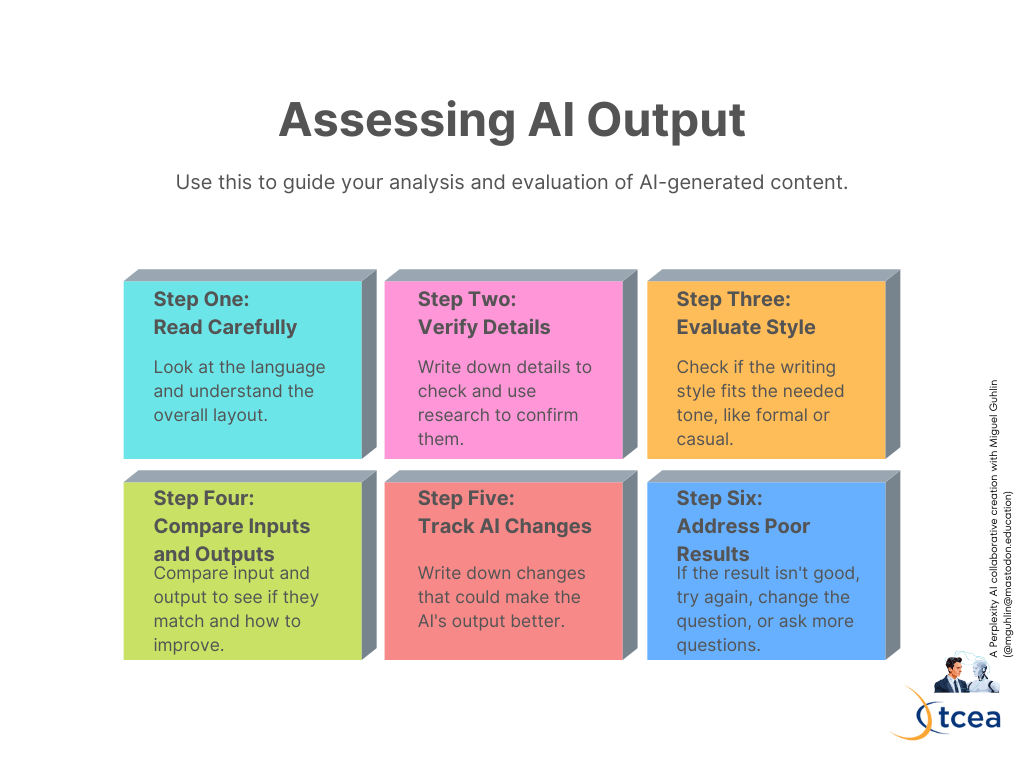
Generated by iterative prompting between author and AI
A – Adapt
Now that all the components are in, you are able to direct the AI to complete some tasks. Remember, it’s not a “one prompt and done.” You will be expected to interact with the AI in a process of assessment (see infographic above for some suggestions).
Work with the AI to:
- Differentiate instruction for diverse learning needs
- Customize content for your specific classroom context
- Adjust difficulty levels and pacing
The goal of AI Collections use is to enhance your writing and/or planning. Supplement, not supplant, your work with AI.
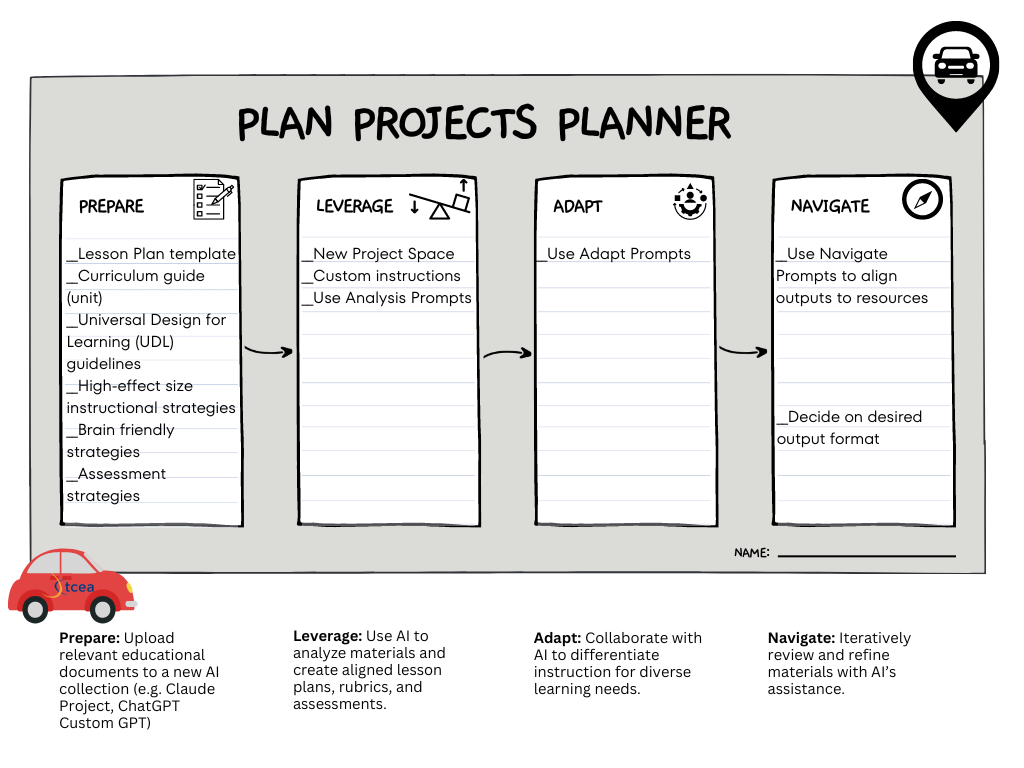
N – Navigate
In this final step, you will review and refine what’s been created with AI assistance. This might involve:
- Using AI-generated prompts to align outputs with your resources
- Deciding on desired output formats (e.g., detailed lesson plans, quick outlines, student handouts)
- Continuously improving your lesson plans based on classroom experiences and student feedback
Leveraging AI as a Teaching Assistant
Use the PLAN approach to become more efficient and effective. You can rely on AI Collections to save time on routine tasks. Those tasks can include creating entry/exit tickets, lesson planning. Or, save effort on worksheet creation, and brainstorming activity ideas. Remember, you will still need to create the documents, so pairing AI inspired work with Canva for Educators can make things even easier. Additional benefits include adapting lessons for different learning styles or ability levels, as well as applying the latest educational research and best practices. Take advantage of AI collections like Claude’s Projects and ChatGPT’s Custom GPTs.
Finally, don’t forget to grab a copy of the infographics and planing frameworks shared in this blog entry.