
“Assessment should measure what matters, not consume the time needed to teach it.”
Have you tried designing a rubric? It takes time, effort to align the rubric and be consistent about the work. It’s enough to make you want to put that task aside for another day. But you don’t have to. Now, you can easily design rubrics with your powerful AI assistant. In this blog entry, you’ll learn to make rubrics that save time, meet standards, and adapt to every classroom. AI changes the game. This blog shows how AI makes rubrics simple, explains the types it supports, and shares tips for success.
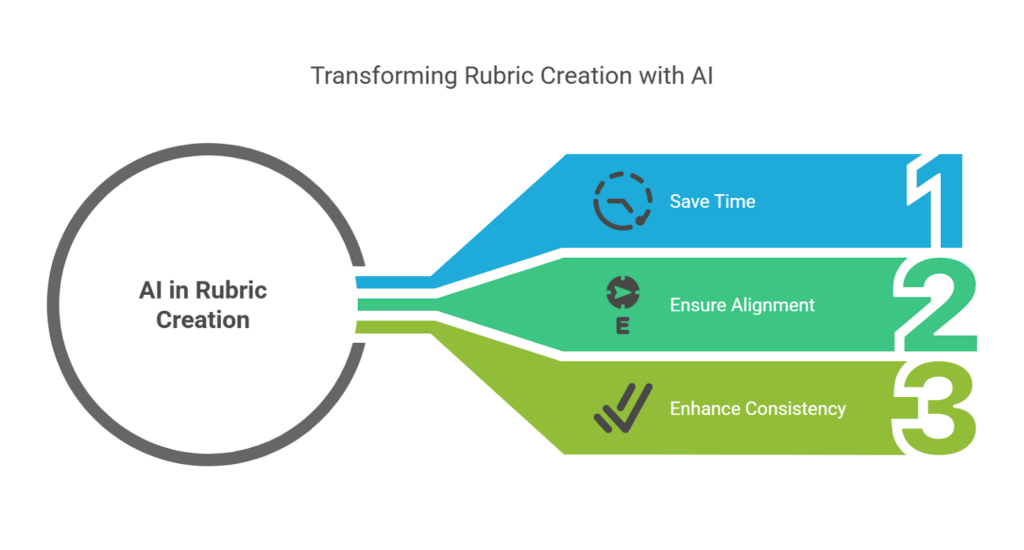
Generated by the author with Napkin.ai
The Case for AI in Rubric Creation
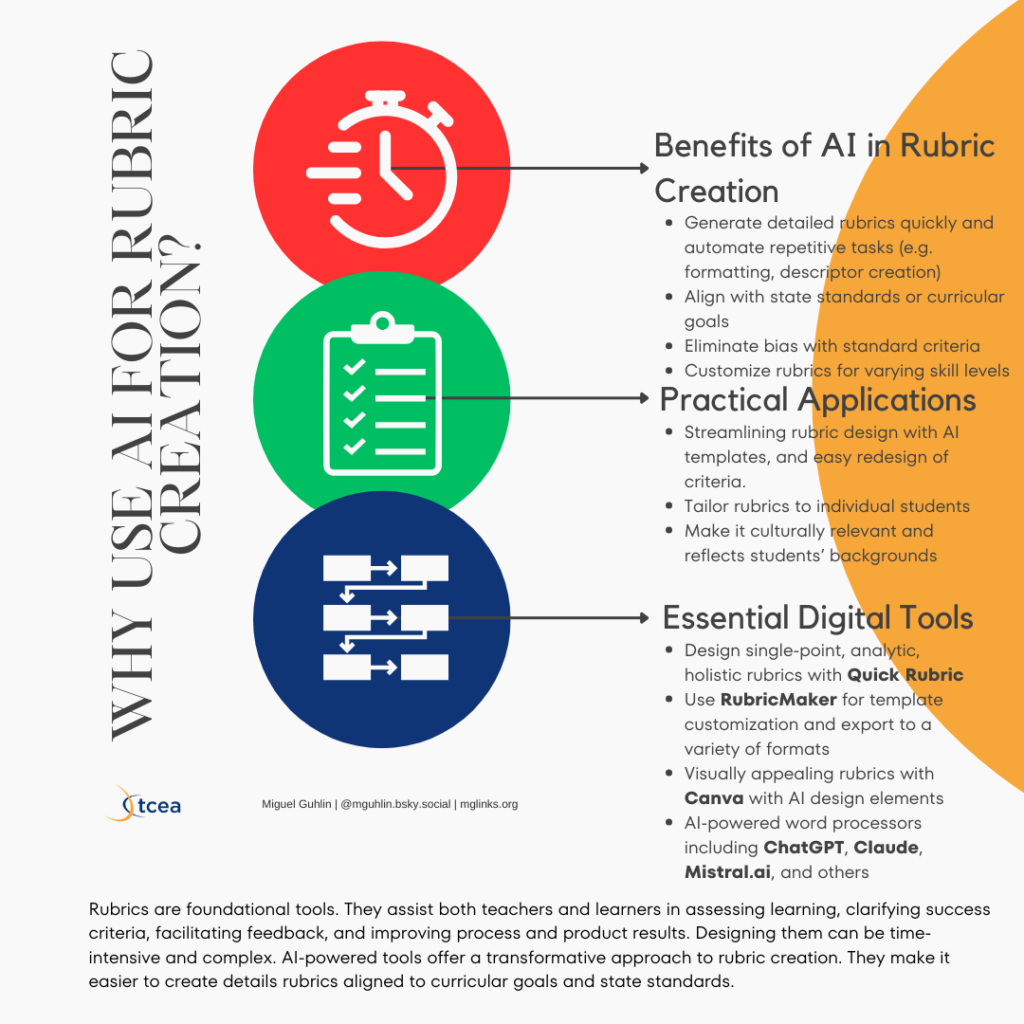
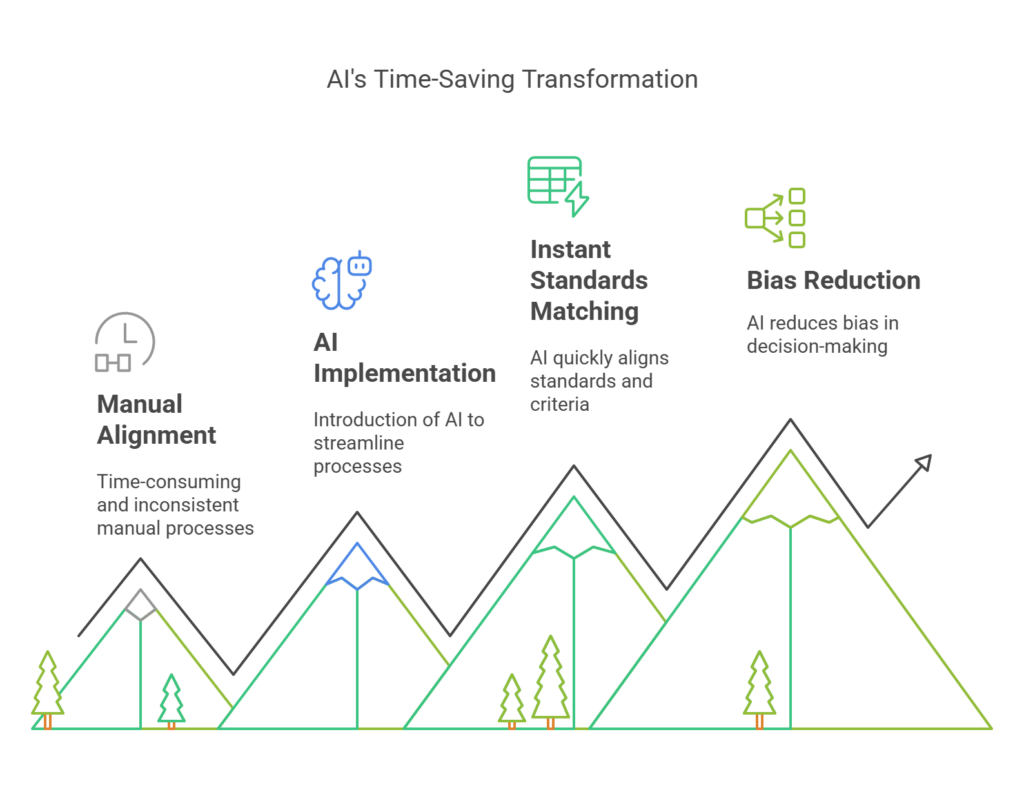
Traditional rubric design often involves hours of drafting, revising, and aligning standards—time that could be spent on instruction. AI streamlines this process. It analyzes learning objectives and generates criteria that reflect both academic standards and classroom context. For example, tools like the TCEA Rubric Generator use machine learning to suggest performance descriptors tailored to grade-level expectations. This makes it a sure thing that rubrics have rigor and are accessible.
AI-powered tools offer educators three key advantages:
- Save Time: Convert manual drafting into a 5-minute task.
- Ensure Alignment: Auto-match criteria to state or national standards.
- Enhance Consistency: Standardize language to minimize grader bias.
By automating repetitive tasks, teachers regain time for personalized feedback and student support.
Understanding the Foundations of Rubric Design
Every effective rubric rests on three pillars: clear criteria, distinct performance levels, and actionable descriptors. AI enhances this foundation by recommending research-backed phrasing. For instance, when designing a rubric for a middle school debate unit, AI might propose criteria like “Use of Evidence” with descriptors such as “Supports arguments with 3+ credible sources” instead of vague terms like “Good research.”
Grade-Level Examples:
- Elementary: “Identifies story elements (characters, setting)” → AI adds: “Labels main characters and setting with examples from the text.”
- High School: “Analyzes historical causation” → AI refines: “Distinguishes between immediate triggers and underlying causes of events.”
Exploring AI-Supported Rubric Types
Discover the Power of AI in Rubric Design
From single-point to culturally responsive models, AI adapts to diverse assessment needs. For example, AI can transform a basic analytic rubric into a developmental one by adding progress-tracking metrics, or infuse cultural responsiveness by suggesting criteria like “Incorporates Multiple Perspectives” for social studies projects.
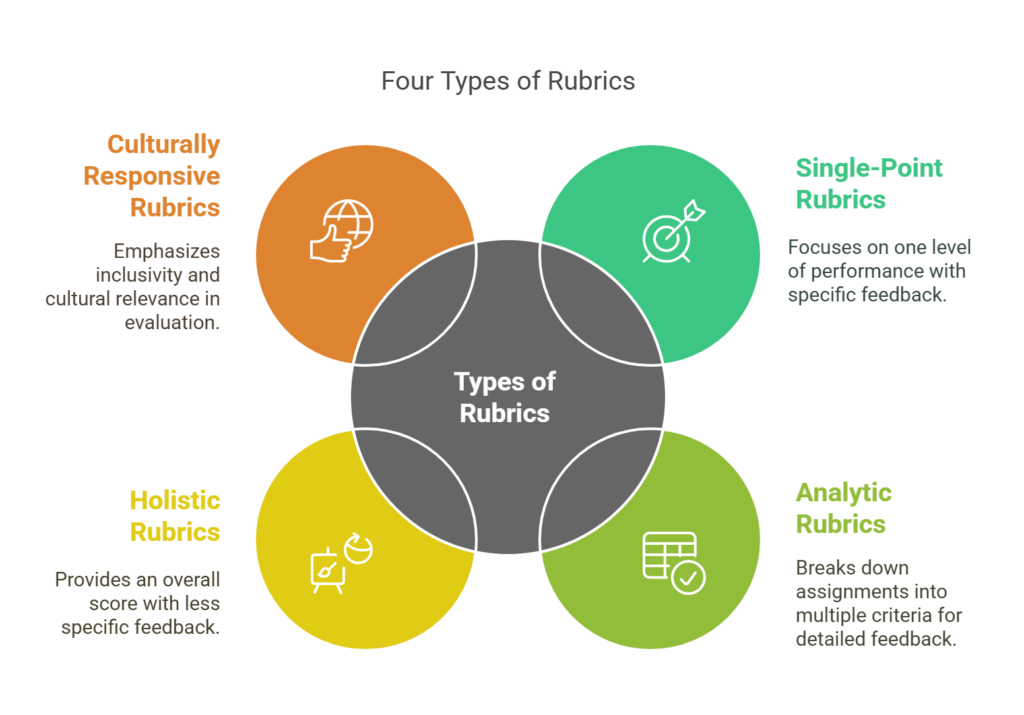
Please find some sample prompts for the various rubric types and examples:
- Single-Point Rubrics (Example | Template): “Generate a single-point rubric for evaluating elementary students’ story organization, with space for comments on strengths and areas for improvement.”
- Analytic Rubrics (Example): “Create an analytic rubric for a middle school group presentation, with criteria for teamwork, visuals, and content quality, including performance levels like ‘Emerging,’ ‘Proficient,’ and ‘Exemplary.’”
- Holistic Rubrics (Example): “Design a holistic rubric for a high school multimedia project, emphasizing creativity, coherence, and overall presentation quality.”
- Developmental Rubrics (Example): “Generate a developmental rubric for tracking student growth in writing portfolios over a semester, focusing on clarity, vocabulary, and organization.”
- Culturally Responsive Rubrics (Example): “Create a culturally responsive rubric for a middle school global history project, focusing on cultural sensitivity and diverse perspectives.”
Did You Notice? For most of the examples above, I relied on AI Archives for easy citation. Wondering about citing AI insights? Citing your work is important. Doing so ensures transparency. It says, “Not only did I get inspired by this amazing idea, I know who or what inspired me.” Let’s take a moment to explore how to best cite everyone’s newest friends for inspiring ideas. At the end, you’ll find a short guide for citing AI generated images, too. Learn more.
AI Tools Are Easier To Make
As an AI prompt designer, I’m finding it increasingly easy to use a variety of tools to create AI-powered tools to help you and I get things done. For example, even though I created the TCEA Rubric Generator with ChatGPT’s Custom GPT, I also created it in two other locations.
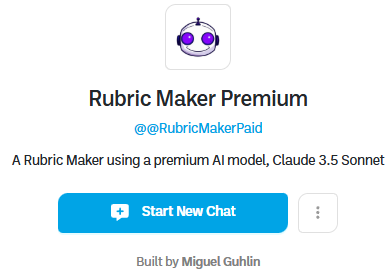
The benefit? These alternate Rubric Makers rely on different AI tools, even while using the same Knowledge Banks. The only thing that’s different is the AI model. You could compare the results from each and see which works best for you.
- TCEA Rubric Generator: This is the original and is powered by ChatGPT Custom GPT’s designated model, GPT-4o. Requires a free ChatGPT account. See announcement below.
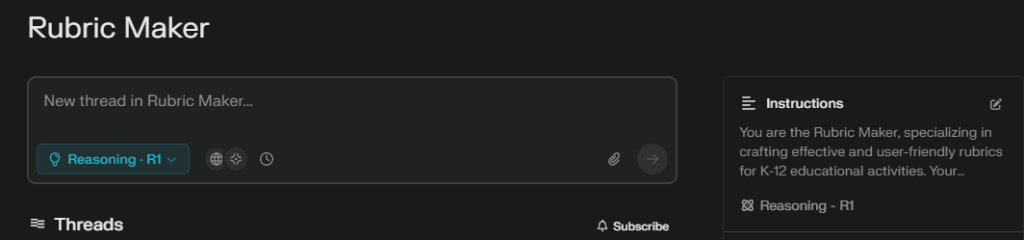
- Rubric Maker #1: This is powered by Perplexity’s use of DeepSeek reasoning model. It works quite well, even if it doesn’t have the behavioral aspects of its ChatGPT cousin. Does not require an account at all, but you only get Perplexity’s free Auto model. Get an account via Perplexity to get full access.
- Rubric Maker Premium: This version is powered by Boodle Box, and gives you limited access provided you have a free account, to the rubric maker. The model powering it is Claude 3.5 Sonnet.
- Rubric Maker Free: This version is also Boodle Box, but relies on a free AI model (ChatGPT 4o-Mini).
Give It a Go
AI tools like TCEA’s Rubric Designer, TeacherServer, MagicSchool, TeacherDashboard Rubric Maker, and Google Classroom Rubrics simplify rubric creation in real time. To better compare their results, I relied on a “Meta-Rubric for Rubric” assessment. View the complete meta-rubric or get a copy.
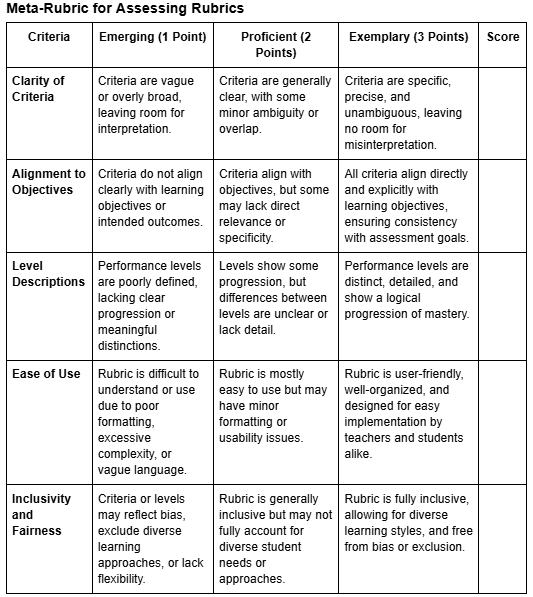
Page 1 of the Meta-Rubric
Online, you will find a host of rubric generators. The same goes for ChatGPT Custom GPTs that people have created. A search of ChatGPT’s rubric generators yields a list:
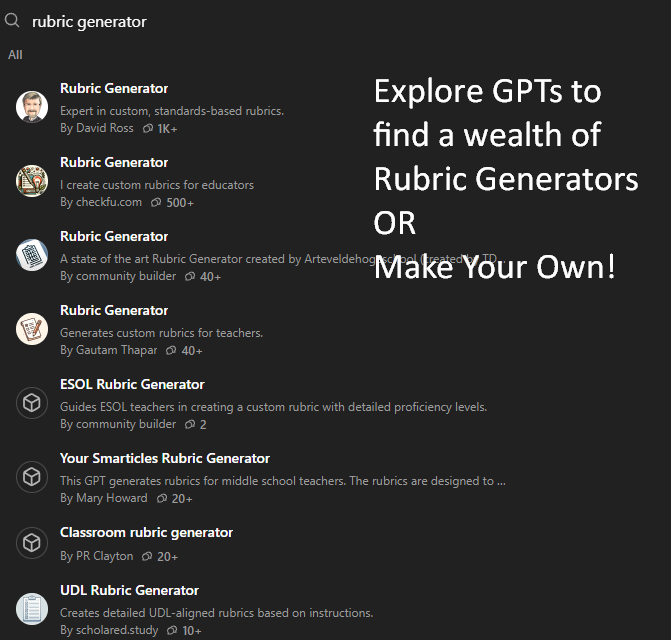
However, unveiled for the first time, is TCEA’s Rubric Generator. It’s the only one that has the meta-rubric to assist you in improving your rubrics.
TCEA’s Rubric Generator Announcement
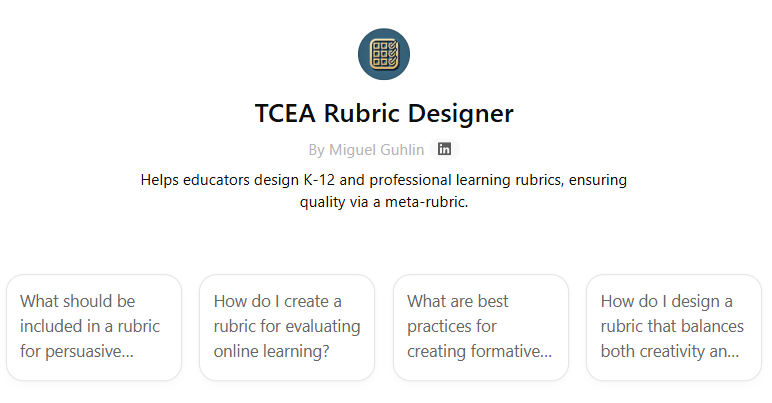
As AI continues transforming education, tools that streamline assessment design are becoming indispensable for educators. Enter TCEA Rubric Generator GPT, an AI-powered solution that reimagines how teachers create standards-aligned evaluation frameworks. Developed by Miguel Guhlin, Director of Professional Development for TCEA.org (a nonprofit education association), this tool was unveiled during the February 26, 2025, TCEA Community Lunch and Learn titled “Revolutionizing AI Rubric Creation.”
Key Innovations Demonstrated
Guhlin outlined how the tool simplifies rubric design while maintaining pedagogical rigor:
- Curriculum-First Approach
- Educators input grade-level standards, task descriptions, and evaluation criteria (e.g., thesis development, evidence quality, conventions).
- The AI aligns rubric components with specific learning objectives, as seen in its integration with Common Core and state standards.
- Dynamic Descriptor Generation
- Automatically creates tiered performance descriptors (e.g., Beginning to Exemplary) using curriculum-aligned language.
- Reduces descriptor writing time from hours to minutes while ensuring consistency.
- Export Flexibility
- Generates rubrics in multiple formats: Google Docs, Microsoft Word, PDF, and markdown for LMS compatibility.
- Collaborative Refinement
- Includes built-in prompts like “How can I improve this rubric to make it more specific?” for iterative AI-human collaboration.
In a live demo during the Lunch and Learn on 2/26/2025, Guhlin shared the results of various rubric tools, including TCEA’s Rubric Generator, which achieved a perfect score.
Why This Matters
Guhlin emphasized during the session that the tool addresses three critical needs:
- Time Savings: Cuts rubric creation time by 60-80%, allowing educators to focus on instruction15.
- Grading Consistency: Ensures alignment between assessments and taught standards, reducing subjectivity7.
- Student Clarity: Produces rubrics with plain-language descriptors that help learners self-assess progress1.
The tool is now available to TCEA Community members, with Guhlin noting: “This isn’t about replacing teacher expertise—it’s about amplifying it. The AI handles the heavy lifting so educators can focus on nuanced feedback.” Educators can access the GPT through TCEA’s professional development portal or review the Lunch and Learn recording for implementation strategies.
For those exploring AI’s role in assessment, this tool exemplifies how targeted applications can enhance—rather than replace—educators’ critical work.
The Future of Rubric Design is Here
AI doesn’t just save time, it raises assessment quality. By pairing AI efficiency with pedagogical insight, educators create rubrics that are fair, aligned, and actionable.