
Did you know Digital Citizenship Day is October 28, 2026? This year, it is organized by MediaSmarts during Media Literacy Week. It focuses on responsible, respectful, and safe participation online. That’s why I’m thrilled to introduce you to two resources this week. The first included the Digital Citizenship Critical Thinking Online Breakouts that appeared on Monday, October 26. Today, I introduce you to CipherSplat.
The Need for Teaching Safeguarding Sensitive Data
A student needs to send a draft containing personal information to a teacher. A campus administrator is carrying confidential notes on a USB drive. A counselor wants to store a sensitive document without dropping another copy into a cloud account. In each case, the file needs more than a password on the device. It needs encryption.
Often, these tools are difficult to use and complicated. The easy tools are out of date. That’s why this solution fits the bill.
Encryption Is a Digital Citizenship Skill
Digital citizenship lessons often focus on passwords, phishing, social media, and online behavior. Those topics matter, but students and educators also need to understand what happens to data after they create it.
Encryption turns readable information into protected data that cannot be opened without the correct key or password. It is a practical way to reduce harm when a file is lost, copied, intercepted, or stored in the wrong place.
That does not make encryption magic. A compromised computer, malicious browser extension, keylogger, or person watching the screen can still expose information. Good digital citizenship means understanding both what a security tool protects and where its protection ends.
Try CipherSplat in the Browser
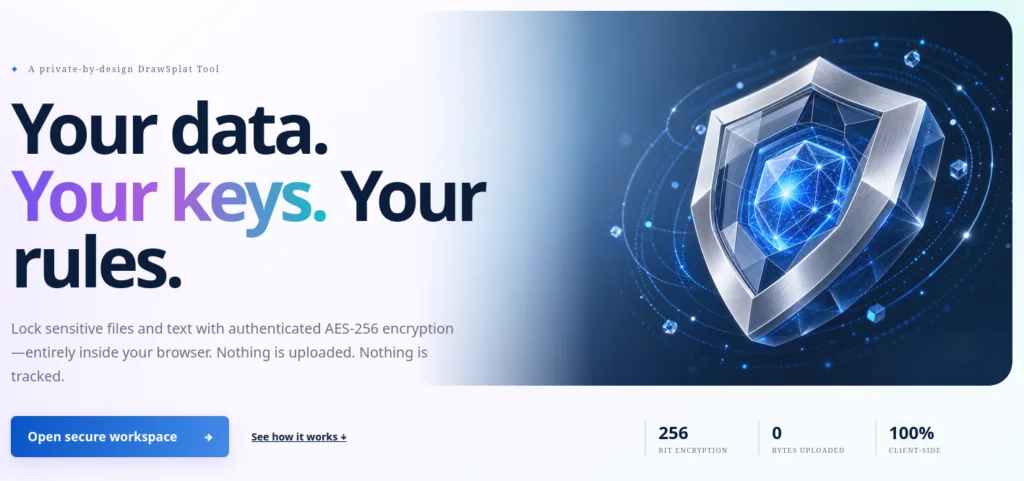
CipherSplat is a browser-based encryption tool designed to keep files, text, passwords, and cryptographic keys on the user’s device. It uses AES-256-GCM authenticated encryption, which protects the contents and checks whether the encrypted package has been altered. Password-based packages use Argon2id to make password guessing more expensive.
The unusual part is what CipherSplat does not require. There is no account, hosted vault, cloud database, analytics service, or upload process. Encryption happens inside the browser, and the encrypted result downloads to the device. The site also states that it does not use cookies, local storage, session storage, or IndexedDB.
I like tools that make their limits as visible as their features. CipherSplat states that it has public source code and automated checks, but no independent security audit, SOC 2 report, formal certification, or paid bug bounty. That distinction matters when teaching students how to evaluate security claims rather than trust a shiny shield icon.
How the CipherSplat Workspace Works
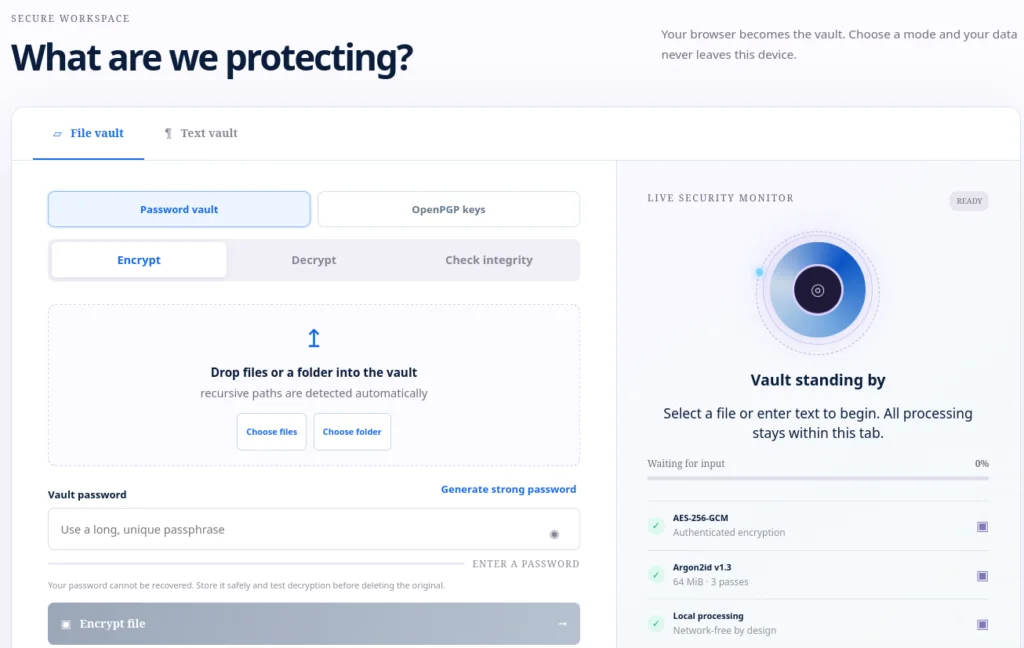
CipherSplat is like a temporary locked box inside your browser. You place a file or some text inside, add a password, and CipherSplat creates a protected copy. Your information stays on your device.
It is not uploaded to CipherSplat.
Step One: Choose What to Protect
You can protect:
- A file
- A folder
- Some typed or pasted text
Drag the item into the workspace or use the button to select it.
Step Two: Choose an Action
You can choose:
- Encrypt: Lock the information
- Decrypt: Unlock the information
- Check integrity: See whether the locked file was changed or damaged
Step Three: Add a Password
Enter a long password that is hard to guess. Do not forget it. CipherSplat does not know your password and cannot recover it for you.
Step Four: Download the Result
Select the button to begin. CipherSplat creates the result inside your browser. Then download the new file to your device. When you encrypt something, you get a locked CipherSplat file. When you decrypt it, you get the original file back.
The Most Important Rule
Before deleting the original file, make sure you can unlock the encrypted copy. The basic process is:
Choose a file → Add a password → Encrypt it → Download it → Test it
CipherSplat protects your information, but you still need to keep your password safe.
Turn It into a Classroom Conversation
Ask students to encrypt a harmless text file, download the protected package, and try opening it with an incorrect password. Then discuss these questions:
- What information stays on the device?
- What happens when the password is lost?
- Which threats does encryption reduce?
- Which threats still depend on device security?
- When should a school-approved system be used instead?
CipherSplat can make encryption visible without requiring students to upload personal data. That makes it useful for introducing privacy, password responsibility, data ownership, and the limits of browser-based security.
Explore CipherSplat with sample files before using it with sensitive information.