
Podcast - #tcea14 - Build Your Virtual Classroom @diben

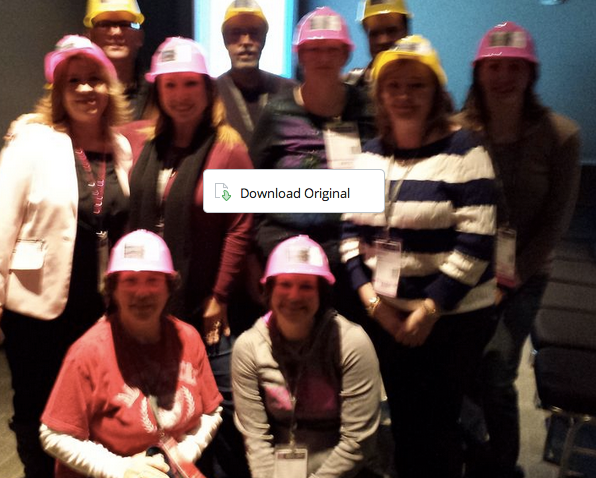
Special thanks to Diana Benner for putting all the business cards, hard hats together!!!
Earlier today, Diana Benner (TCEA 2014 Technology Administrator of the Year) and I had the opportunity to co-present on the topic of Build Your Virtual Classroom. You can find links to the materials online at http://tinyurl.com/tcea14
In this blog entry, you’ll find quick links to audio recordings made during the show…they are pretty much, well, unedited. You will also want to check out the Today’s Meet that expires in 1 week for all the neat shares and info: https://todaysmeet.com/CanWeBuildIt (note: The transcript appears at the bottom of this blog post).
Enjoy!
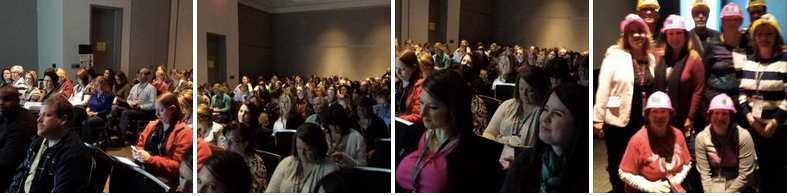
Session Slideshow:
Moodle complexity have you down? Wish you could just use the low-hanging fruit of the web world—wikis, blogs, free discussion forums—to build a learning management system that’s open and accessible to everyone? Escape the walled garden and learn how to use open web tools.
SlideShow & Print Handout
[googleapps domain=“docs” dir=“presentation/d/1ymXISyV-3KMkhZSowPtEIIiPwFwuENFFnlonhsGnB1A/embed” query=“authuser=1&hl=en&size=s” width=“410” height=“337” /]

Today’s Meet Chat Transcript:
CanWeBuildIt
Resources for Build Your Virtual Classroom appear online at http://tinyurl.com/tcea14 02:27AM Wed, 05 February 2014 GMT by Session organizers
Please be professional and kind as you share your responses to the questions… 02:28AM Wed, 05 February 2014 GMT by Session organizers
Here we go! 03:21PM Wed, 05 February 2014 GMT by Gene
Tip #1: Design for experience and not for information sharing 03:22PM Wed, 05 February 2014 GMT by Eric Hirtriter
Mapping out a course before writing it: like writing pseudocode before programming. Capture big ideas without getting lost in details. 03:30PM Wed, 05 February 2014 GMT by John
Tip #2 Plan your course first, addressing logistics and activity planning. 03:31PM Wed, 05 February 2014 GMT by Eric Hirtriter
Hi 03:34PM Wed, 05 February 2014 GMT by X.
Have you ever used Wix websites to make a virtual classroom? 03:34PM Wed, 05 February 2014 GMT by Ryan Davenport
What are a few sites similar to Todaysmeet that I can use in iTunes U to encourage collaboration? 03:34PM Wed, 05 February 2014 GMT by Erica Roberson
For math it is great to tie the math to real world experience. Example is statistics of sports to relate averages 03:34PM Wed, 05 February 2014 GMT by Keith
Tip #3 Decide on your online learning environment —don’t be afraid to mix-n-match. 03:34PM Wed, 05 February 2014 GMT by Eric Hirtriter
Maybe start with a wiki 03:35PM Wed, 05 February 2014 GMT by Gene
Experience is more important than the content. Should be fun & ENGAGE the student. 03:35PM Wed, 05 February 2014 GMT by Mrs. Marmo
I love Google because its free. Are all of the others mentioned free too? 03:35PM Wed, 05 February 2014 GMT by Misty
Haiku and CourseSites - cloud based LMS sites. Easy to use and allows student collaboration 03:35PM Wed, 05 February 2014 GMT by Brittany
Used Moodle “back in the day” but district ended up taking away the Moodle server 03:35PM Wed, 05 February 2014 GMT by Robin
https://atutor.ca/ this is another free lms. 03:35PM Wed, 05 February 2014 GMT by X.
I love the idea of changing our approach to the culture of our students. Differentiation is key- not only in teaching but also in approach. 03:35PM Wed, 05 February 2014 GMT by @mrgollihar
Love it… Great presenters:) 03:35PM Wed, 05 February 2014 GMT by Amanda Lott
MyBigCampus has been nice on our campus. Any comments on MBC? 03:36PM Wed, 05 February 2014 GMT by Keith
If you are google apps for ed- google groups can be your wiki. 03:38PM Wed, 05 February 2014 GMT by Christie K.
He is saying schoolboy has easy interface. 03:39PM Wed, 05 February 2014 GMT by Christie K.
Schoology 03:39PM Wed, 05 February 2014 GMT by Christie K.
I could not here the reply about schoology. Please repeat. 03:39PM Wed, 05 February 2014 GMT by Katrina
We’re the largest user of Project Share in Texas… but it’s pretty awful. 03:39PM Wed, 05 February 2014 GMT by John
Due to different levels/styles of learning I need something to address multiple needs simultaneously w/o drawing attention to them 03:40PM Wed, 05 February 2014 GMT by Robin
Schoology = user friendly, has mobile apps, clean design, Facebook-like updates page. Like it a lot. 03:41PM Wed, 05 February 2014 GMT by John
Tip#4 Personalize learning experiences with multimedia components for different learners’ needs 03:42PM Wed, 05 February 2014 GMT by Eric Hirtriter
Top LMS listed: http://www.learndash.com/20-most-popular-learning-management-systems-infographic/ 03:42PM Wed, 05 February 2014 GMT by John
Voice Thread is a really cool site/app. You can create videos and students can respond by typing, speaking, doodling, or video. 03:44PM Wed, 05 February 2014 GMT by Amanda Flores
Tip#5 Address the social dimension of learning and setup places people can interact 03:46PM Wed, 05 February 2014 GMT by Eric Hirtriter
@EricaR, padlet? Infused Learning? 03:47PM Wed, 05 February 2014 GMT by Carol-LeanderISD
Static course content is important, but we don’t talk enough about the value of dynamic personalized content added throughout the course. 03:47PM Wed, 05 February 2014 GMT by John
So is My Big Campus like Edmodo? 03:48PM Wed, 05 February 2014 GMT by @mrgollihar
what is the specific link for getting the step by step for setting up a course from scratch? 03:48PM Wed, 05 February 2014 GMT by Eric Hirtriter
I use Remind 101. It is secure and I really like it. you can put the app on your phone. 03:49PM Wed, 05 February 2014 GMT by Jesse Goodwin
Remind101.com 03:50PM Wed, 05 February 2014 GMT by Brittany
remind 101 to send out messages to students 03:50PM Wed, 05 February 2014 GMT by Eric Hirtriter
Dynamic content examples: short screencasts for announcements, showcasing student work, making it personal, answering Q’s, giving feedback. 03:50PM Wed, 05 February 2014 GMT by John
MBC is similar to Edmodo. It isn 03:50PM Wed, 05 February 2014 GMT by Amanda Flores
*it isn’t free 03:50PM Wed, 05 February 2014 GMT by Amanda Flores
google hangout 03:50PM Wed, 05 February 2014 GMT by Eric Hirtriter
Instagram pictures of homework assignments and reminders. 03:51PM Wed, 05 February 2014 GMT by Brittany
/ 03:51PM Wed, 05 February 2014 GMT by Eric Hirtriter
? 03:51PM Wed, 05 February 2014 GMT by Eric Hirtriter
Encourage interactions? Design time to brainstorm and ask questions before, discuss during, reflect after… interact at every step. 03:52PM Wed, 05 February 2014 GMT by John
Tip #6 Offer a variety of assessment options and activities in your virtual classroom space. 03:53PM Wed, 05 February 2014 GMT by Eric Hirtriter
Thanks Amanda 03:53PM Wed, 05 February 2014 GMT by @mrgollihar
Great info today, thanks for the session @jmg84 or @kcisd_tech 03:54PM Wed, 05 February 2014 GMT by JimmyG
I use Edmodo and have been for years. Easy to attach flipped lessons, grade and respond to assignments and communicate. Interested in Sites. 03:55PM Wed, 05 February 2014 GMT by @mrgollihar
We have an issue with flipped videos due to YouTube block. And suggestions on another way to share videos safely? 03:55PM Wed, 05 February 2014 GMT by JimmyG
We have the same issue with blocked YouTube 03:56PM Wed, 05 February 2014 GMT by Rosemary_Allen
Touchcast is another great tool available for iPad. 03:56PM Wed, 05 February 2014 GMT by Zandra
School tube works just like you tube. 03:56PM Wed, 05 February 2014 GMT by Mark
Quizzes are useful, but we over-use multiple choice questions. Do more open-ended. Ask students to write+answer the key questions. Etc. 03:56PM Wed, 05 February 2014 GMT by John
Miguel, why did you switch from edmodo to google sites? 03:56PM Wed, 05 February 2014 GMT by Carol-LeanderISD
I’ve researched other hosting sites for videos, but they all cost. Have wanted to try SchoolTube. 03:57PM Wed, 05 February 2014 GMT by @mrgollihar
Ck12.org is great! Especially math & science. Quizzes, study guides, real world, links and tutorials. 03:58PM Wed, 05 February 2014 GMT by Brittany
They encourage repurposing, so it’s perfect to use as online content 03:58PM Wed, 05 February 2014 GMT by Brittany
Brittany- Twitter? 03:59PM Wed, 05 February 2014 GMT by Christie K.
Join my pln @bmschroeder82 03:59PM Wed, 05 February 2014 GMT by Brittany
I use Celly for my text service for my students. Similar to Remind 101 but you can attach files, have dialogue with kids, and schedule texts 04:01PM Wed, 05 February 2014 GMT by Julie Yandell
can you add a calendar to weebly? 04:01PM Wed, 05 February 2014 GMT by Jesse Goodwin
weebly (?) how do you spell it? 04:01PM Wed, 05 February 2014 GMT by Katrina
Weebly. Yes I added google calendars to weebly with HTML code. Easy 04:02PM Wed, 05 February 2014 GMT by Christie K.
I also use an app Knowmia Teach to create my flipped videos. You can upload documents, enable webcam, videos into your own video. The best! 04:02PM Wed, 05 February 2014 GMT by Julie Yandell
Wordpress is great! As long as your district doesn’t block blogs… 04:03PM Wed, 05 February 2014 GMT by Brittany
You can also upload your Knowmia video to your site, YouTube, etc. you can also attach assignments to your video thru www.knowmia.com 04:03PM Wed, 05 February 2014 GMT by Julie Yandell
@christierose21 04:04PM Wed, 05 February 2014 GMT by Christie K.
Easy app or website to record 2-3 minute videos with small file size?? 04:04PM Wed, 05 February 2014 GMT by Christie K.
Everything you did on Moodle, can you do on google sites? 04:05PM Wed, 05 February 2014 GMT by Julie Yandell
Record 2-3min videos easily: screencast-o-matic.com, screenr.com. Can send link or download as .mp4, upload to YouTube, etc. 04:05PM Wed, 05 February 2014 GMT by John
Thanks- I’ve used screencast o matic before. 04:06PM Wed, 05 February 2014 GMT by Christie K.
I use aver software to create instructional videos. 04:08PM Wed, 05 February 2014 GMT by Katrina
Biology blog/class site@ mrsschroederbiology.wordpress.com 04:10PM Wed, 05 February 2014 GMT by Brittany
I use Google Calendar as my daily agenda, so students know to come in, login to Google and can find any links or files they need. 04:10PM Wed, 05 February 2014 GMT by Stephanie - Poteet ISD
katrina’s website: https://sites.google.com/a/bisdmail.net/a-slice-of-pi/ 04:10PM Wed, 05 February 2014 GMT by Katrina
@mrgollihar join my PLN 04:13PM Wed, 05 February 2014 GMT by @mrgollihar
Everything posted on Miguel Guhlin’s blogs/wikis are his personal opinion and do not necessarily represent the views of his employer(s) or its clients. Read Full Disclosure
var _gaq = _gaq || []; _gaq.push([‘_setAccount’, ‘UA-3445626-5’]); _gaq.push([‘_setDomainName’, ‘mguhlin.org’]); _gaq.push([‘_trackPageview’]); (function() { var ga = document.createElement(‘script’); ga.type = ‘text/javascript’; ga.async = true; ga.src = (‘https:’ == document.location.protocol ? ‘https://ssl’ : ‘http://www’) + ‘.google-analytics.com/ga.js’; var s = document.getElementsByTagName(‘script’)[0]; s.parentNode.insertBefore(ga, s); })();