The short version
This 2025 workshop introduces running AI models locally with Ollama and Page Assist. It covers setup, hardware, and classroom applications; review current software requirements and data handling before using its examples.
Break free from subscription-based AI! In this hands-on workshop, educators will install and configure Ollama, Page Assist to run powerful AI models directly on their devices. You’ll walk away with a functioning local AI system, hardware optimization strategies, and practical classroom applications that maintain student data privacy while eliminating monthly costs.
Did You Know?
I’ll be sharing this presentation at the TCEA AI for Educators Conference online event, July 22-24, 2025. Be sure to sign up!
Detailed Description
As AI transforms education, the costs of subscription services like ChatGPT Plus and Claude can strain budgets. This workshop empowers educators to run comparable AI capabilities locally, maintaining full control over data while eliminating recurring expenses.
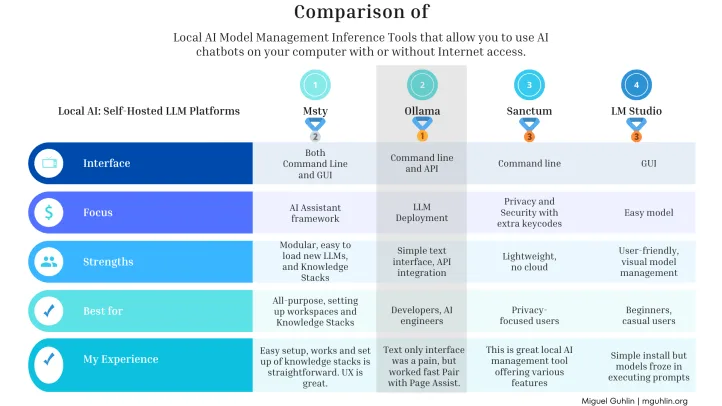
Participants will see how to:
- Install and configure two essential local AI tools:
- Ollama (for text generation),
- Page Assist (for model management)
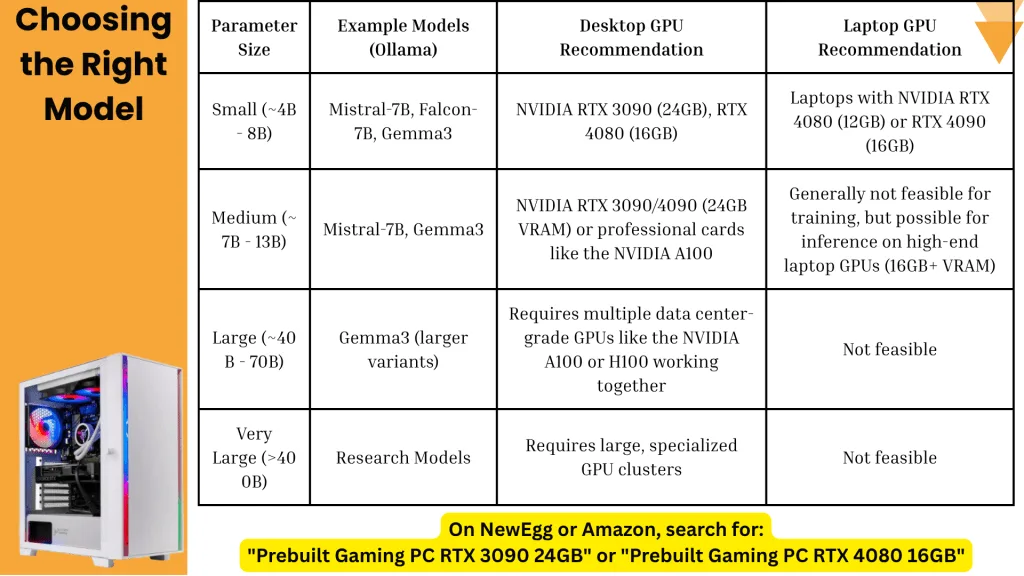
- Select appropriate models based on hardware constraints
- Troubleshoot common installation challenges and performance bottlenecks
- Implement practical privacy safeguards for student data
You’ll leave with specific hardware suggestions, GenAI open-source models to try, and AI Knowledge Stack construction suggestions. This session bridges technical knowledge with practical implementation, ensuring you can immediately apply these tools regardless of your technical background. All demonstrations will be performed live on Windows systems, with Linux and Mac alternatives discussed.
Local AI Bot with Ollama and Page Assist
Setting up a Knowledge Stack with Ollama and Page Assist on a desktop computer.
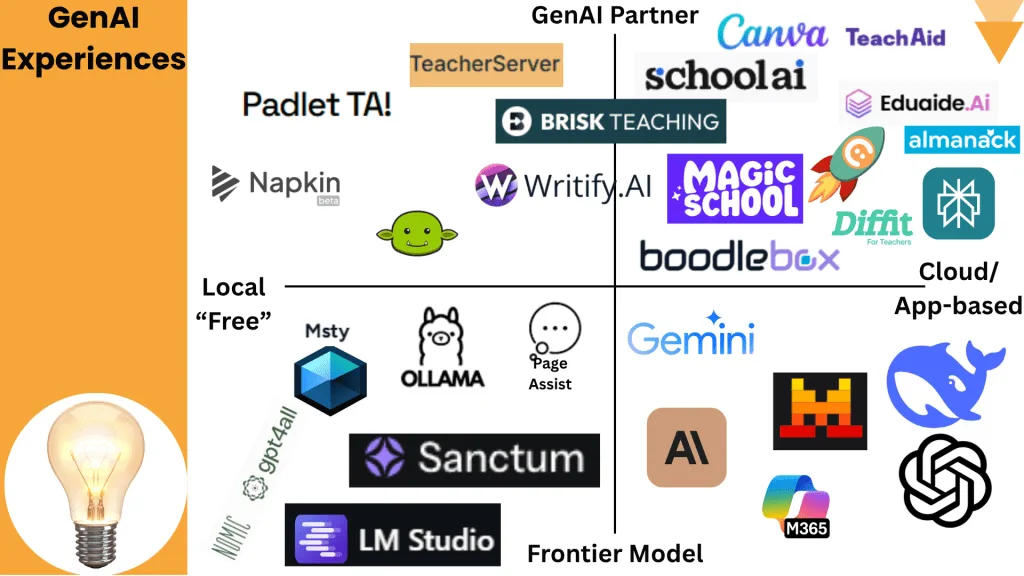
Gen AI Tools
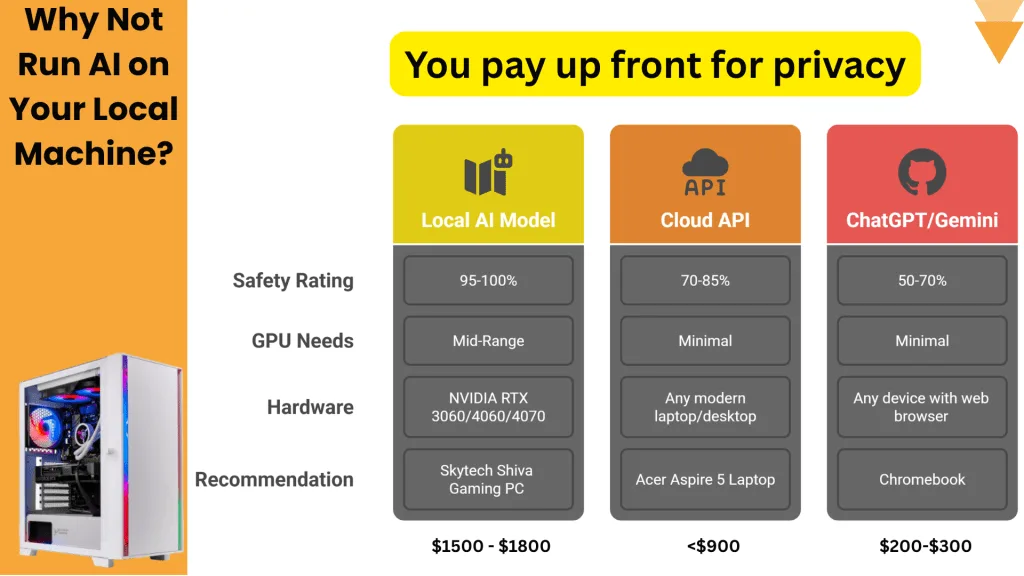
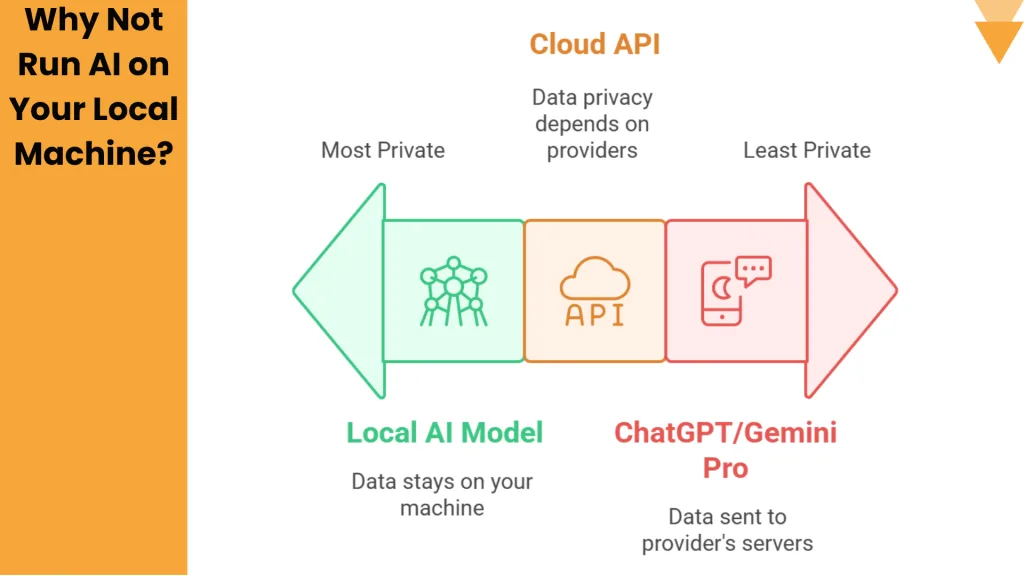
Safer Options?
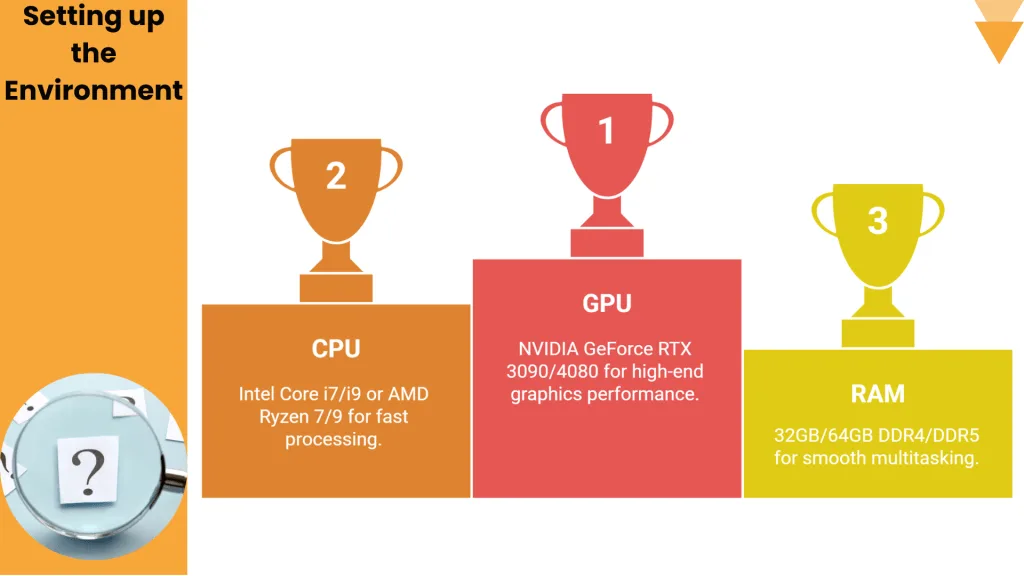
Recommended Equipment